
How to get more reviews for a delivery restaurant
Most customers leave a review when a restaurant asks. One automatic WhatsApp message after every delivered order, with your Google link and nothing in return, does the asking.
Home / Blog / How to mark a dish sold out on every menu at once
A dish gets ordered after it runs out when you keep three separate dashboards. With one list, a Sold out switch or a stock count takes it off the page, the tables and the counter together.
Agha Shah Zaman · Co-founder, Get Menu · 7 October 2026 · updated 16 October 2026
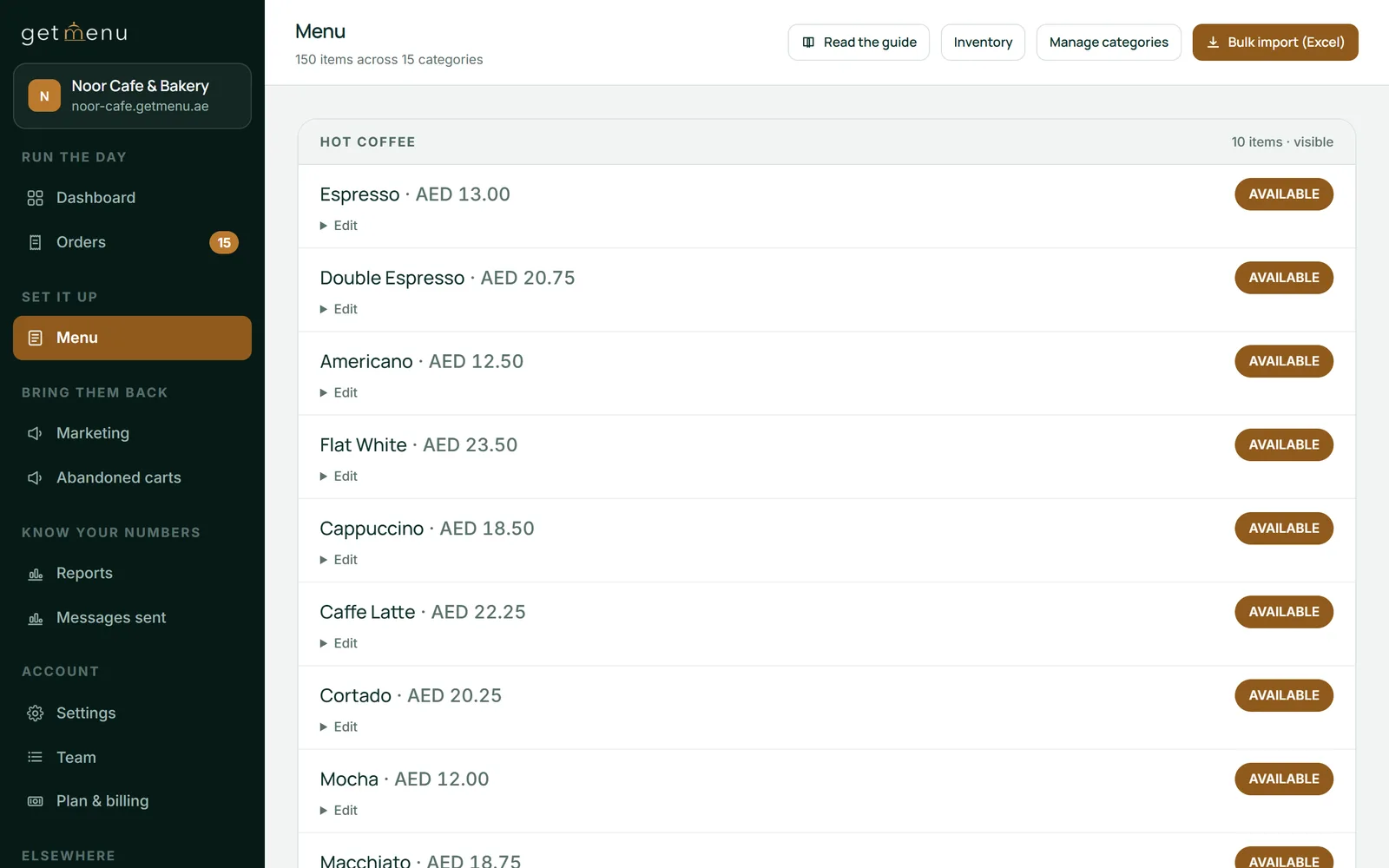
Here is how to mark a dish sold out on every menu: have one menu. On GetMenu the POS, the QR tables and the online ordering page read the same stock list. Tap None left on the POS iPad, or Sold out in the dashboard on any phone, and the dish shows Sold out everywhere at once, including for customers who order through WhatsApp. A stock count reaching zero does the same.
The customer orders food you cannot make, so you cancel the order and lose the sale.
Order cancellations cost the typical restaurant 1.5% to 3% of its digital sales every week, according to Otter's data. Most of them come in the evening rush: 32.2% of digital orders land between 5 and 8:59 pm, and so do 29.9% of cancellations. On the customer's side, nine out of 10 people in one delivery survey had had a food delivery order go wrong, and 40% of them ordered from a different restaurant as a result.
The cause is usually three dashboards: the counter's, the online menu's and each delivery app's. Toast's help article on 86ing an item shows the counter and its own online ordering changing together. A long Square community thread shows the other case: an item 86'd at the counter had to be marked unavailable online by hand, until an availability sync arrived.
A cook can also type a number with "I can make" on the kitchen screen. The dish then sells out by itself at zero.
Stock counts work on every plan. The kitchen screen and the POS stock screen come with the POS, a yearly add-on. The pricing page shows it in your own currency.
For a dish you do not count:
On the Growth and Pro plans, a guest at a table scans the code and orders with no address, because the table is the address and there is nothing else to type. Delivery customers in every building see the same card.
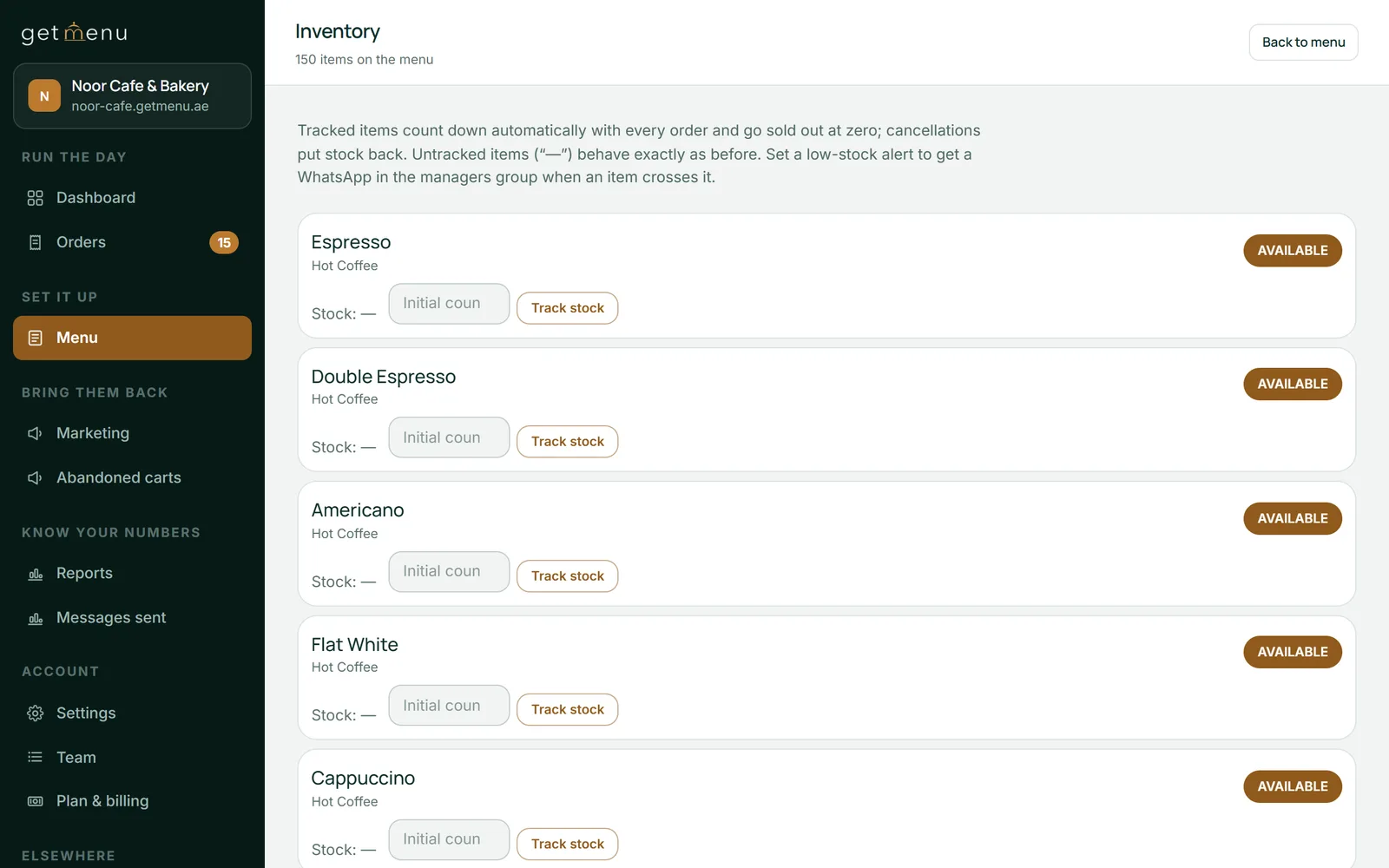
Go to Menu, then Inventory, and press Track stock on a dish or on one of its choices, such as a size. Set the count, add a low-stock alert level, and press Restock when more arrives. See our guide to real-time stock control.
Stock counts fall with every order from the ordering page, the tables, the counter and the waiters' rounds. The last one switches the dish to Sold out. If two people order the last portion at the same moment, one order goes through. The other customer is told it just sold out and can change the cart. A double tap cannot send the order twice.
Customers see an "Only 3 left" note on the dish when five or fewer are left (or from your alert level, if you set it higher), and they cannot add more than that. Cancelling an order puts the stock back.
Agha Shah Zaman, a co-founder of GetMenu and a business technology analyst, says: "A kitchen should have one stock list. Whether the cook taps None left, a manager taps Sold out or the count reaches zero, every menu should agree at the same moment."
GetMenu works as a restaurant inventory system for the dishes you sell. You set a count, every order lowers it, and the dish shows Sold out at zero on every menu.
When an online order takes the count below your alert level, your managers' WhatsApp group gets one warning. Counter sales do not send it.
If you upload a new menu from a spreadsheet with Replace, the old counts are cleared. The page warns you first, and a repair tool copies them back.
A dish marked None left comes back by itself at the end of your restaurant's day. To bring it back sooner, tap Back on sale on the POS stock screen, or tap its pill back to Available in the dashboard.
On GetMenu, tap None left on the POS stock screen, or tap the dish's Available pill to Sold out in the dashboard on any phone. The dish shows Sold out on the POS, the QR tables and the online ordering page, and connected delivery apps are told for matched dishes. A dish with a count sells out by itself at zero.
Yes. Counter sales, table rounds from a waiter's phone and online orders all take stock from the same count. A dish that sells out at the counter shows as Sold out on your online menu right away, and the online checkout refuses it straight away.
Only one order goes through. GetMenu counts each order one at a time. The second customer is told the dish just sold out and is asked to change the cart, and their order is not placed. On the Pro plan, the sold-out apology (Marketing, then Loyalty & stamps) sends a returning customer caught that way a small single-use coupon for next time.
Yes, if you set a low-stock alert level on the dish. When an online order takes the count below that level, your managers' WhatsApp group gets one message. Counter sales do not send it, so watch dishes sold mostly at the counter on the POS stock screen.
Yes, for connected delivery apps and dishes you have matched to their products. None left on the POS and the Sold out switch both take the dish off the POS devices, the online menu and the tables, and tell those apps. A count reaching zero takes it off every GetMenu menu but does not tell the apps. Unmatched dishes are switched off in the app's own portal.
Most customers leave a review when a restaurant asks. One automatic WhatsApp message after every delivered order, with your Google link and nothing in return, does the asking.
Every dish still showing on your page at nine in the evening is a commitment. Stock control is really the business of keeping that commitment.