
To the customer
Order A-215 is confirmed.
Thank you, Sara. We will deliver to Palm View Tower, unit 1204. Use the link below to follow your order.
Home/Solutions/Shawarma and fast casual
Shawarma and fast casualGetMenu is a shawarma restaurant POS with your own online ordering page. The POS runs your counter on iPad, iPhone or Android, with a cash drawer and printers. Counter, phone and online orders show on one POS screen, with every sauce and extra on the kitchen ticket. From the POS, you send each delivery to your riders on WhatsApp.
Like any quick service restaurant POS, the POS in a shawarma shop has to keep a long queue moving. With GetMenu, the cashier taps the dish, picks the bread and the sauce, and takes cash or the card machine. The cash drawer opens when the customer pays in cash.
Put your best sellers on the first screen by dragging them onto the Most sold tab. Or let GetMenu list the ten dishes that sold most in the last seven days, and add them with one button. If a customer is still deciding, the cashier can put the sale aside and serve the next person.
When the phone rings, the cashier types the order in at the same POS, for collection or delivery. Orders from your ordering page show on the same screen, beside the counter sales, so the counter works from one list.
Each cashier signs in with a four-digit PIN, so every sale shows who took it. When the internet drops, the POS keeps selling, and each sale is sent once when the connection is back.
In GetMenu, the bread, the sauces and the extras on a shawarma are choices you set up once on the dish. The customer or the cashier picks them, and they travel with the order to the kitchen. Each dish also shows its spice level on your menu, so customers know how hot it is.
A group of choices can be one the customer must answer, like the bread, or it can allow up to a set number of picks, like two sauces. A choice can be free, like no pickles, or it can add to the price, like extra cheese. Online and at the POS, a dish cannot be added until every required choice is answered.
The kitchen screen shows each dish with its choices under it. The POS prints one ticket for each station, such as the shawarma counter and the drinks counter, with the same order number on every ticket. Counter, phone and online orders all get the same kitchen ticket, and special requests are printed in bold on it.
SHAWARMA
One ticket for each station, all with the same order number.
GetMenu gives your shawarma shop its own ordering page, at an address such as yourshop.getmenu.ae, and customers need no app. At checkout, they choose delivery or collection. A collection order needs no address and carries no delivery fee.
While customers order, the page can offer them a meal deal you set up, such as the wrap with fries and a drink at one price. That offer is called a combo upgrade, and it shows when someone opens the wrap. A second wrap can come at a discount, and any offer can run only on the days and hours you choose. Offers are part of some plans.
Every online order shows on the POS screen beside your counter sales, and the kitchen gets the same ticket. The page sells from the same menu, prices and stock as your counter, and you pay no commission on its orders. Customers pay in cash or on the card machine when they get the food. Offers run only on the ordering page, so the cashier is never asked to offer anything.
When a customer orders delivery on your page, your riders' WhatsApp group gets the order the moment it is placed. The ticket shows the building, the unit number, the customer's phone number, the dishes, and whether to collect cash or bring the card machine, with the amount.
At checkout, the customer picks their building from your list and types the unit number. If they share their location, the ticket carries a map link. Each building has its own delivery fee, and you can set a minimum order and free delivery above a set amount.
The cashier sends each delivery to a rider from the POS. A phone order for delivery is typed in at the POS, with the building picked from your list, and goes to your riders the same way. The rider marks it delivered with one tap on a link, and needs no app.
A collection order goes to the kitchen but not to your riders, and the ticket says collection. Your managers' group gets every order, and the customer gets a confirmation from your own WhatsApp number.
Order A-215 is confirmed.
Thank you, Sara. We will deliver to Palm View Tower, unit 1204. Use the link below to follow your order.
NEW ORDER A-215
2 × Chicken shawarma (Saj bread, Garlic sauce, No pickles) · 1 × Fries · Palm View Tower, unit 1204 · map link
DELIVERY A-215
Palm View Tower, unit 1204. Map link and customer phone on the ticket. Bring the card machine.
Sent from your own WhatsApp number
Your opening hours in GetMenu can run past midnight, for example from 18:00 to 02:00. Any day can also be set to open 24 hours, and one button sets every day of the week at once.
Outside your hours, your ordering page says you are closed and counts down to when you open, in your own time zone, and an order for right now is refused. You can also let customers book an order for later. They pick a day and a 30-minute slot, and your riders get the ticket when it is time to cook, not when the order was booked. Orders for later are part of some plans.
Your page can look like your shop, too. Choose from 12 page layouts and 57 colour presets. One preset is called Shawarma Street, in strong red and amber, made for late-night street food.
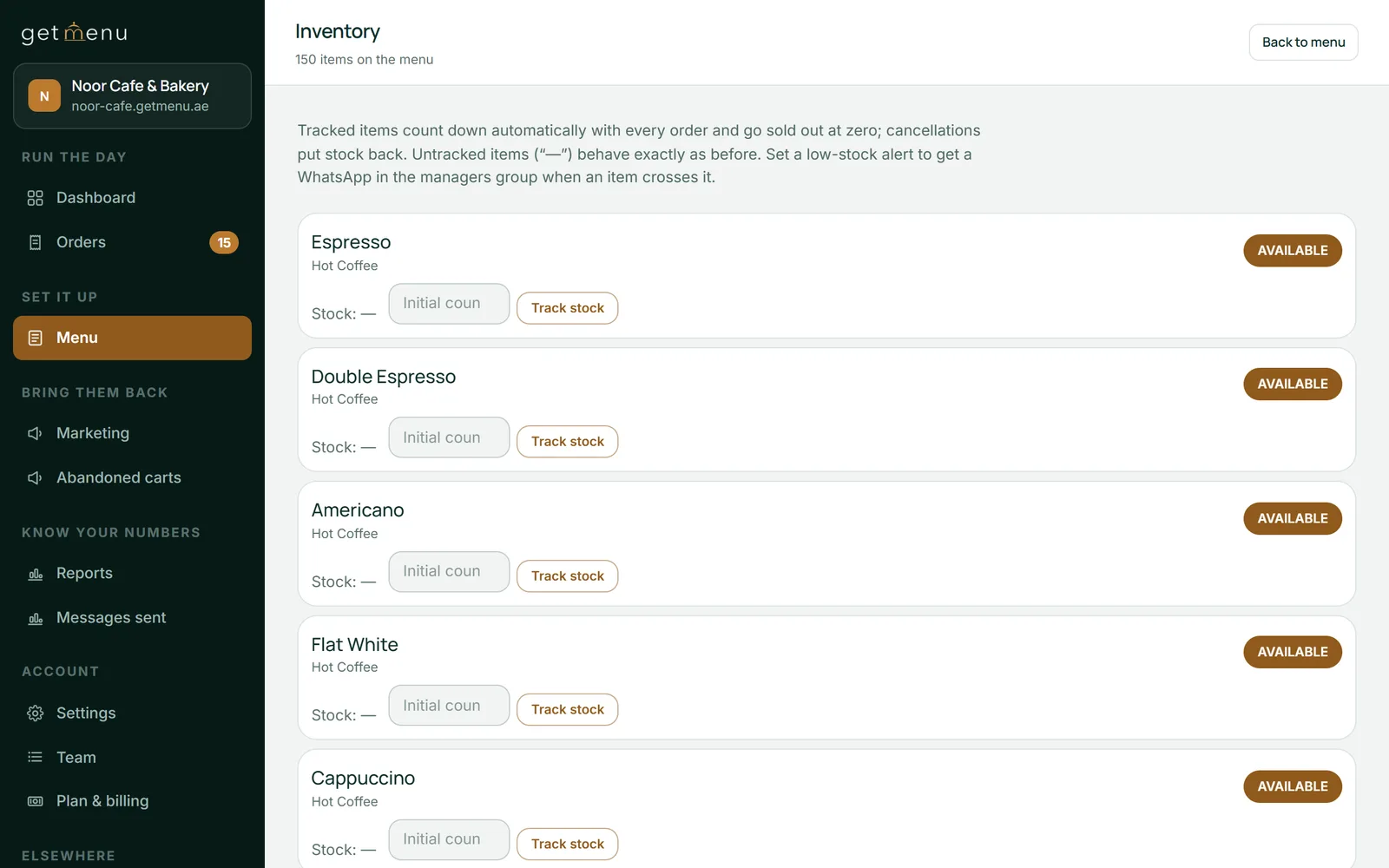
GetMenu can count stock for each dish and for each choice, such as saj bread or garlic sauce. Every sale takes from the same count, at the counter, on the phone and online, and at zero nobody can order it.
A choice that runs out is crossed out in the dish window on your ordering page, while the dish stays on sale with its other choices. The checkout checks the live count when the order is placed, so two people cannot both buy the last portion. When a counter sale uses up a dish, the online menu shows it as sold out.
When only a few are left, your ordering page shows how many remain, such as "Only 3 left". Set an alert level, and your managers' group gets one WhatsApp message when an online order takes a dish below it. A cancelled order puts its portions back. Stock control is part of every plan.
In a fast casual restaurant, some guests order at the counter and some sit down first. With GetMenu, each table can have its own QR code, and a guest who scans it orders from their phone, with no address to fill in.
The order reaches the kitchen screen with the table's name, and your managers' group gets the ticket too. On the POS, the order appears on that table's bill on the floor. When the guests are ready to pay, the cashier takes the bill at the POS and can split it by item or evenly. You choose which ways of paying tables can use.
Table orders send nothing to your riders. GetMenu makes a QR code for every table, with a print pack ready for the printer. Table QR ordering is part of some plans.
With GetMenu, a stamp card can give one stamp for every shawarma a customer buys. After a delivered order, a WhatsApp reminder to order again goes out by itself, at the time of day that customer usually orders.
The stamp card can also count orders or the amount spent, and the reward can be a free dish. Customers keep the card in Apple Wallet or Google Wallet, and it updates itself when a stamp is added. At the counter, the cashier adds the customer's phone number to the sale, and the stamp is counted the same way as for an online order. Loyalty and the wallet card are part of some plans.
The reminder starts with "Hungry again?" and goes from your own WhatsApp number. GetMenu looks at when each customer usually orders, so a lunch customer hears from you at lunchtime and a dinner customer at dinner time. You choose how many hours it waits after a delivery, 20 unless you change it. Every plan includes the reminder.
Save a card, then switch on the yearly POS add-on. During your free trial every POS screen is open, so you can set everything up before you pay.
Settings, then Plan & billing
Open a dish and add groups: the bread as a group the customer must pick, the sauces with a limit on how many, and the extras with their own price.
Menu, then the dish, then Choices and extras
Add the counter device as a POS that sells and a kitchen tablet as a screen in the kitchen. Type each six-character code into the app, and give every cashier a four-digit PIN.
Settings, then The POS
Set each day's hours, past midnight if you stay open late, or press the button for 24 hours every day.
Settings, then Working hours
Add each building or area with its own delivery fee. Set a minimum order and free delivery under Ordering rules.
Settings, then Condominiums & delivery fees
Add each rider's name and phone number, so the cashier can pick the rider for each delivery on the POS.
Settings, then Riders & dispatch groups
Link your shop's WhatsApp number by scanning a QR code with that phone. Then choose the group for your managers and the group for your riders.
Settings, then WhatsApp connection & groups
A good fast casual POS system keeps a long queue moving and gets every choice on a dish right. It should ask for required choices, such as the bread, put counter, phone and online orders on one screen, and keep one stock count for all of them. GetMenu does each of these. It adds your own ordering page for delivery and collection, and it sends delivery orders to your riders on WhatsApp.
You can start with two: a POS at the counter, and a tablet or phone in the kitchen as the kitchen screen. Online and phone orders show on the counter POS, so they need no extra tablet. Add more devices whenever you need them, such as a second POS for the late rush. The yearly POS add-on has one price for the whole shop, however many devices you pair.
Yes. Your opening hours can run past midnight, such as 18:00 to 02:00, and any day can be set to open 24 hours. While you are open, your ordering page takes orders as usual. When you close, the page says so and counts down to your next opening. If you switch on orders for later, customers can still book a time slot.
Yes. At checkout on your ordering page, the customer chooses collection instead of delivery. They give no building or unit and pay no delivery fee. The order shows on your POS screen, and the kitchen ticket says collection, so the wrap is ready at the counter. The customer pays in cash or on the card machine when they pick it up.
Yes. Add the meal as a dish of its own, such as a wrap with fries and a drink at one price. A combo upgrade offer then shows it when a customer opens the wrap. A bundle, such as any three wraps for a set price, applies by itself in the cart. Offers and bundles work on the ordering page only, and they are part of some plans.
Yes, with a stamp card. Choose which dishes earn a stamp, such as every shawarma, how many stamps make a reward, and a free dish as the reward. The reward can be sent as a code on WhatsApp, or it can come off the next online order by itself. Customers can keep the card in Apple Wallet or Google Wallet. The stamp card is part of some plans.
Yes. GetMenu is made by a company in the UAE for restaurants in any country. Your ordering page shows your menu in your own currency, and the order messages go out from your own WhatsApp number. The POS runs on ordinary iPad, iPhone and Android devices, and the iPad and iPhone app is in the App Store. The pricing page shows each plan in your own currency.
Try GetMenu free for 15 days, with no card. Your ordering page takes orders from the first day, and you can set up every POS screen before you pay. Selling on the POS needs the yearly add-on.