
To the customer
Noor Cafe & Bakery: order confirmed
Invoice A-318 · 2 × Chicken shawarma · 1 × Mint lemonade · cash on delivery · estimated delivery about 35 minutes · Track your order: link
Home/WhatsApp ordering
WhatsApp orderingGetMenu is a WhatsApp ordering system for restaurants. Customers order on your own ordering page, so nobody takes the order in a chat or types it again. The moment the order is placed, three messages go out from your own number: a confirmation to the customer, the full ticket to your managers and the delivery details to your riders.
Many small restaurants take their orders in WhatsApp chats, and one person answers them all on one phone. Often it is the manager, the cashier or the owner, between other jobs.
At 8 pm, several customers write at the same time. One asks what is available today. Another asks the price of a dish. A third sends a long order with changes. For each chat, the person replies, works out the total and types the order again for the kitchen. Then they forward the customer's location to a rider.
Every reply takes minutes, so the next customer waits. A hungry customer who waits too long orders from another restaurant. And when that one person is busy, on a break or at home, nobody else can see the chats.
The customer orders on your own ordering page, not in a chat. GetMenu becomes your restaurant order taking system, so the order arrives complete and nobody copies it out of a message.
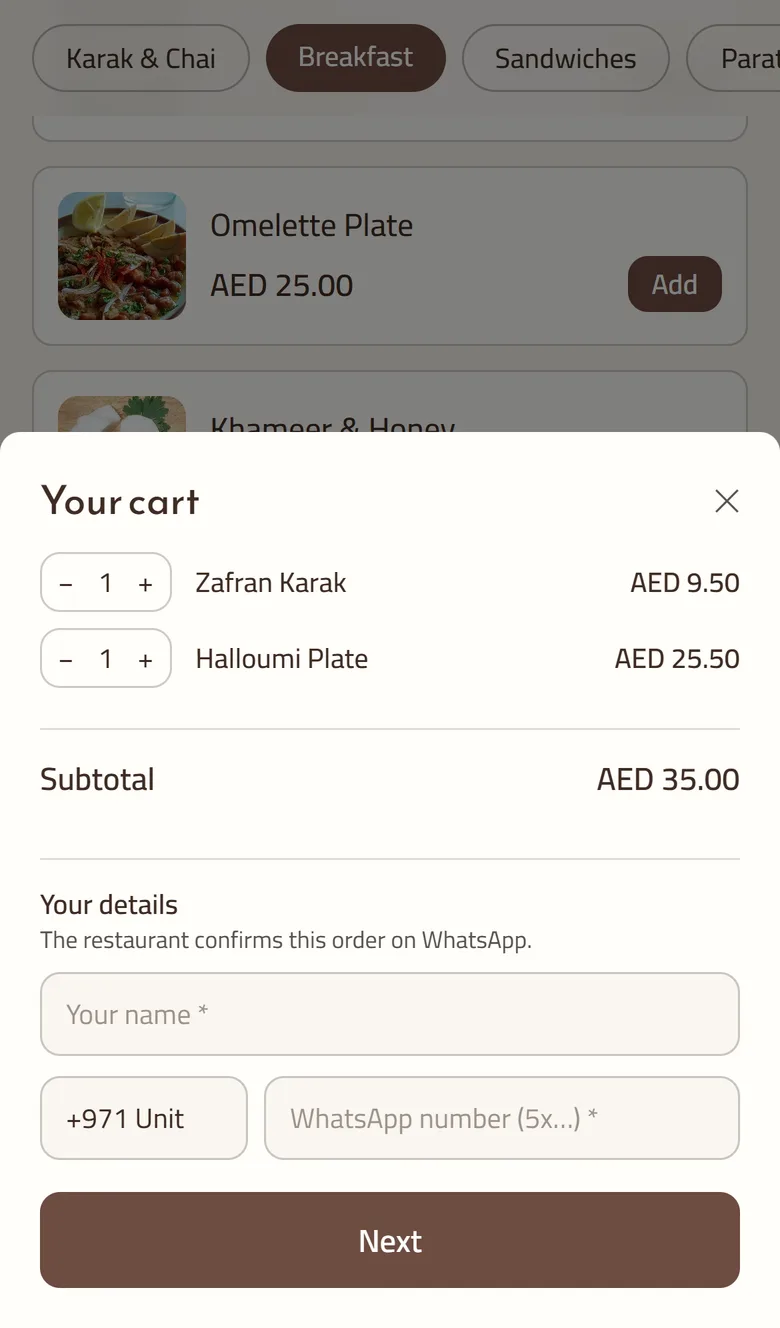
The page opens from a link you share in WhatsApp, or from a QR code. The customer picks dishes, sizes and extras from your menu. A required choice, such as the bread or the sauce, must be answered before the dish goes in the cart. A dish that has run out shows as sold out and cannot be ordered.
At checkout the customer gives their name and WhatsApp number and chooses delivery or collection. For delivery, they pick their building from your list and type their unit number. They pay cash or by card machine when they get the food. Every price is worked out again from your menu, so the total is always right, and a double tap cannot create two orders.
The moment the order is placed, GetMenu sends three WhatsApp messages from your own number, one after another. It works as an automated ordering system for restaurants: the customer gets a confirmation, your managers' group gets the full ticket and your riders' group gets the delivery details.
Nobody on your team presses send. A collection order or a table order goes to the customer and the kitchen, because only delivery orders need a rider. An order booked for later reaches the riders when it is time to cook it.
Noor Cafe & Bakery: order confirmed
Invoice A-318 · 2 × Chicken shawarma · 1 × Mint lemonade · cash on delivery · estimated delivery about 35 minutes · Track your order: link
NEW ORDER A-318
2 × Chicken shawarma (No onions) · 1 × Mint lemonade · Note: please ring the bell · cash · Tower 4, unit 902 · map link
DELIVERY A-318
Tower 4, unit 902 · map link · customer's phone · collect cash · Delivered? Tap the link to confirm
Three messages from your own number, one after another
A cloud kitchen or a home kitchen can run its whole WhatsApp food ordering system on GetMenu. Each gets its own ordering page, a list of the buildings it delivers to with a fee for each, and a riders' group that gets every delivery order.
A cloud kitchen takes only delivery orders, and GetMenu treats that as the normal case. There are no tables to set up, and the ticket in the managers' group is enough to start cooking. Running several brands from one kitchen? Each brand is its own restaurant in GetMenu, with its own menu, opening hours and WhatsApp groups. GetMenu can group them for you, so one owner login sees all their sales side by side.
A home kitchen often runs on one phone, with one person cooking. Set the days you open, and count today's portions, so a dish shows as sold out when the batch is gone. You can let customers order for a later day, and they can collect at your door instead of waiting for a rider.
If a WhatsApp message cannot reach a customer, it can go as a text message instead. The text is sent from an Android phone and SIM card of your own, paired with GetMenu, so your mobile operator bills it like any other text.
You choose for each kind of message: order confirmations, status updates, review requests, reminders at each customer's usual mealtime, and automatic promotions. Each one has three settings: off, only when WhatsApp fails, or always. The middle setting suits confirmations well. A customer whose number is not on WhatsApp still hears from you, and nobody gets the same message twice.
Texts are only for messages to customers. The tickets for your managers' and riders' groups stay on WhatsApp, because a WhatsApp group has no text version. If your WhatsApp link drops, the message history says so, and scanning the QR code again brings the group tickets back.
A person still does the parts that need a person, but the job gets much smaller. Taking the order, typing it for the kitchen and forwarding the location are done for you, so one person on one phone has far less to do at 8 pm.
WhatsApp Business for restaurants: getting past the one phone
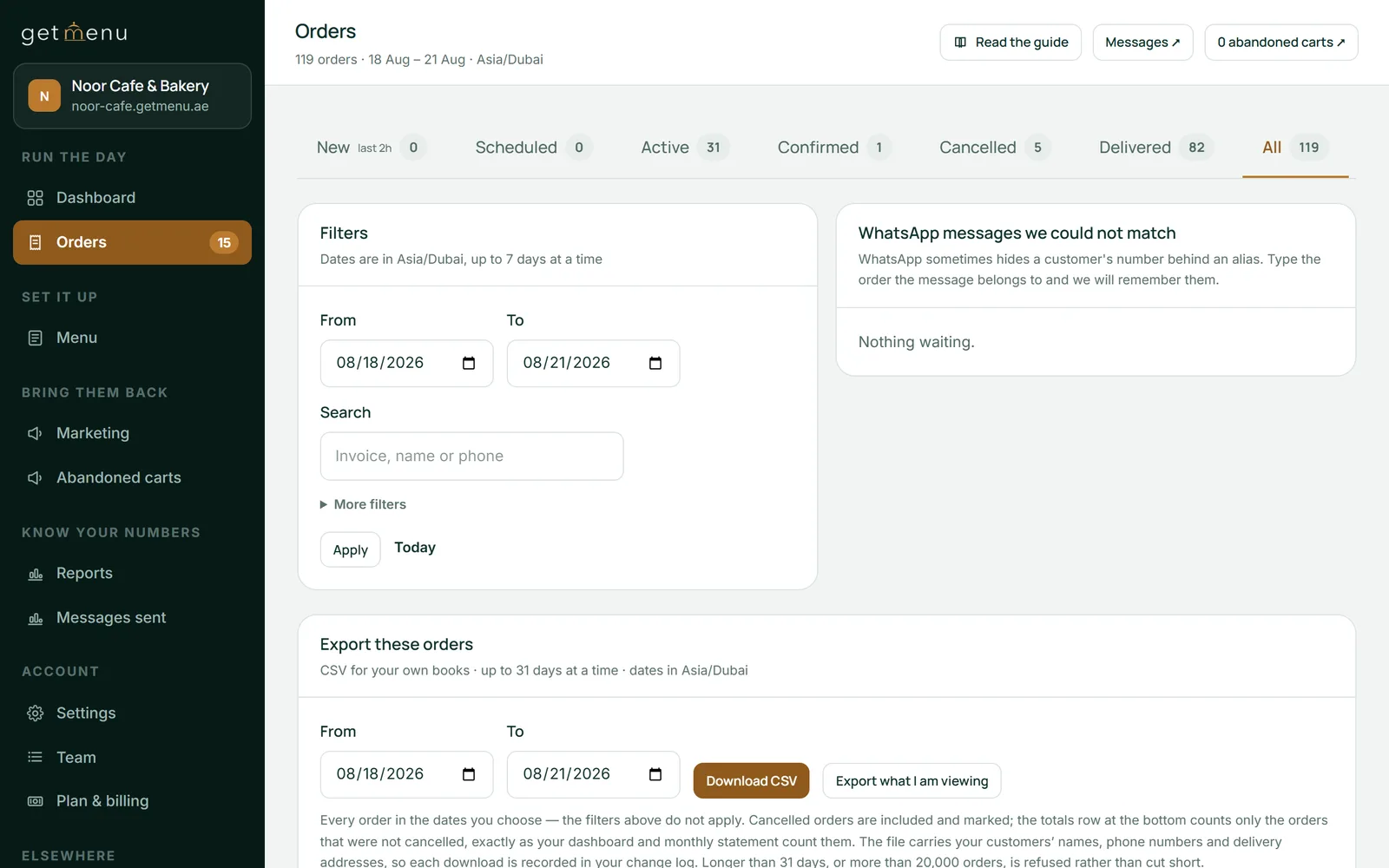
Open WhatsApp on the restaurant phone and scan the QR code shown in your dashboard, under Linked devices.
Settings, then WhatsApp connection & groups
Make a managers' group and a riders' group in WhatsApp, add your staff, then choose both groups here.
Settings, then WhatsApp connection & groups
Add the buildings or areas you deliver to, each with its own delivery fee. You can import them from a spreadsheet.
Settings, then Condominiums & delivery fees
Add each rider's name and phone number, so you can pick the rider for each delivery order.
Settings, then Riders & dispatch groups
Decide whether new orders confirm themselves after a few minutes.
Settings, then Automations
Optional. Pair an Android phone with a SIM card, then choose which messages may go by text.
Settings, then SMS from your own SIM
Yes. Most customers ask for the menu, and you reply with the link to your ordering page. They order there, and the order reaches your groups complete. If a customer types the whole order in the chat, your cashier types it in once at the POS and picks their building. It then shows on the POS screen and goes to the kitchen and the riders like an online order.
No. GetMenu is not the official WhatsApp Business Platform, and it does not sell a verified badge. You link the WhatsApp number your restaurant already uses by scanning a QR code in your dashboard. There is no approval from Meta to wait for, and customers keep writing to the number they already have saved.
No. GetMenu joins as a linked device next to your phone, the same way WhatsApp on a computer does. Your chats stay on your phone, and any other linked devices keep working. Messages from customers arrive on your number as normal, so you answer them from WhatsApp the way you always have.
GetMenu is built to protect your number. After checkout, WhatsApp opens on the customer's phone with the order already written out, and they send it to you, so the chat starts from their side. Messages are spaced out and never sent in bursts. Sending pauses itself if failures start to climb, and each restaurant has its own separate connection.
Orders keep arriving on your orders board and your POS screen. The WhatsApp tickets pause until you link your number again. WhatsApp can end a link, for example when the phone has been off for a long time or the app was reinstalled. Your dashboard then shows WhatsApp as down, and scanning a new QR code brings the tickets back. If texts are on for confirmations, customers still get theirs by text.
Only the people in the two groups you choose. You make a managers' group and a riders' group in WhatsApp, add your own staff, and pick both groups in your settings. Tickets go nowhere else. Every change to which groups are used is recorded, so nobody can quietly send your orders somewhere new.
No. A new order's messages are sent the moment the order is placed. Automatic promotions, such as win-back offers, wait in their own queue and only go out between 10:00 and 21:00 your time. Each customer gets no more of them in a week than the number you set, and anything over it waits for your approval.
Open the message history in your dashboard. Every message is listed with its status, such as sent, which means WhatsApp accepted it, or failed, with the reason in plain words. A separate list shows any customer who could not be reached on WhatsApp or by text, so you know exactly whom to phone.
Try GetMenu free for 15 days, with no card needed. Link your number by scanning a QR code, pick your managers' and riders' groups, and share your ordering page.