
To the customer
Order A-412 is confirmed.
Thank you, Sara. 2 × Flat white, 1 × Butter croissant. Card machine on delivery. Use the link to see your order.
GetMenu is cloud kitchen software for a kitchen with no dining room. Customers order on your own web page and pick their building from your list. Your managers and riders get each order on WhatsApp the moment it is placed. With the POS add-on, your web, phone and WhatsApp orders, and the delivery apps you connect, share one kitchen screen.
Cloud kitchen software, also called ghost kitchen software, has to do the work a shopfront would do. It takes the order, tells the cooks what to make, tells the riders where to go, and gives the customer a reason to order again.
A delivery-only kitchen, or dark kitchen, never meets its customers. Orders arrive from several places: your own page, the phone, WhatsApp chats and the delivery apps. Riders need an exact address, in buildings that may have no clear name. When a dish runs out, nobody should be able to order it.
GetMenu covers each of these steps. Your own ordering page takes the order, and your managers' group and your riders' group get it on WhatsApp the moment it is placed. Phone and WhatsApp orders are typed in at the POS and go out the same way. A dish with no stock left shows as sold out. A kitchen screen shows the cooks what to make next. A reminder at each customer's usual mealtime brings them back.
GetMenu gives your cloud kitchen its own ordering page, at an address such as yourkitchen.getmenu.ae. It opens in the customer's phone browser, so there is no app to download, and you pay no commission on the orders it takes.
You choose one of 12 layouts for your menu. Each dish can have a photo and choices such as a size or extras, and a choice you mark as required cannot be skipped. If you count a dish, it shows as sold out when the count reaches zero. You can set a minimum order, and free delivery above an amount you choose. When the kitchen is closed, the page shows your opening hours.
Customers pay cash or by card machine when the food arrives. Every price is worked out again on the server, so nobody can change a total from their phone. If customers can reach your door, the page takes collection orders too, with no building and no delivery fee.
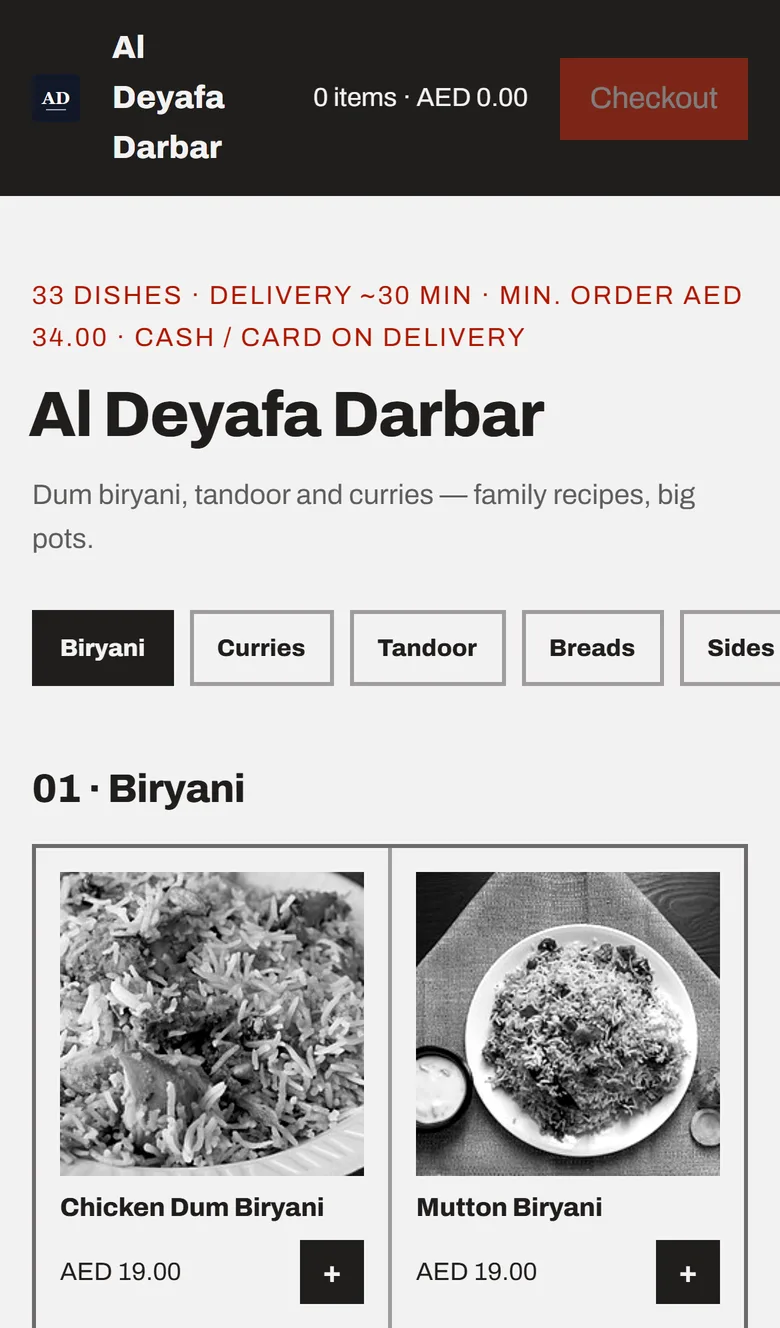
At checkout, the customer picks their building from your list and types their unit number, and can share their location as well. Your riders get all of it in their WhatsApp group the moment the order is placed.
Each building on your list has its own delivery fee, which the customer sees before they order. The riders' ticket shows the building, the unit, the customer's phone number and the dishes. It also says whether to collect cash or bring the card machine, with the amount. A map link is added when the customer shared their location.
Your managers' group gets the full order at the same time, and the customer gets a confirmation from your own WhatsApp number. A first-time customer is taken to WhatsApp with the order written out, and their confirmation goes once they press send. Choose a rider on the orders board or on the POS, and the customer gets the rider's name and phone number. After the handover, one tap on the ticket's link marks the order delivered, so riders need no app.
Order A-412 is confirmed.
Thank you, Sara. 2 × Flat white, 1 × Butter croissant. Card machine on delivery. Use the link to see your order.
NEW ORDER A-412
2 × Flat white · 1 × Butter croissant · Garden Court, unit 1204 · map link
DELIVERY A-412
Garden Court, unit 1204 · map link · customer phone · Bring the card machine · Delivered? Tap the link to confirm.
Sent from your own WhatsApp number
With GetMenu's yearly POS add-on, an iPad, an iPhone or an Android tablet becomes your cloud kitchen POS. Orders from your ordering page show on the POS screen, next to the phone and WhatsApp orders your staff type in.
When a customer phones, or sends their order in a WhatsApp chat, your staff type it in once. They pick the building from the same list your checkout uses, then add the unit number and the customer's phone number. When the food is ready, choose the rider on the POS. Your riders' WhatsApp group then gets the same ticket as for an online order.
Every order reaches the kitchen as one kind of ticket, on a kitchen printer, a kitchen screen or both. Special requests such as "no onions" are printed in bold on the kitchen ticket. So the cooks read a phone order, a WhatsApp order and an online order the same way, from one place.
Kitchen ticket · A-418 · Delivery
Online, phone and WhatsApp orders on one ticket
A tablet or phone paired as a screen in the kitchen shows every order, wherever it came from. Orders from your own page are marked Delivery, and orders from the delivery apps you connect sit beside them.
GetMenu takes orders from Talabat, foodpanda, Deliveroo, Careem, Keeta and GrabFood, through your own partner account with each app. noon Food offers no connection, so its orders are typed in by hand on the Delivery apps page. Unless you let GetMenu accept them on arrival, the cook accepts or refuses each app order on the kitchen screen, and the app is told.
An app order keeps the app's own total and is marked as paid to the app, so it never touches your cash count. Wherever an order came from, it gets your next order number and sits on your orders board. A colour on each order shows how long it has waited. When you switch a dish off on your menu, the connected apps that accept the change are told too, for the dishes you have matched to their menus.
What reaches the kitchen screen
In GetMenu, each brand is its own restaurant, with its own menu, prices, opening hours, ordering page and WhatsApp groups. Ask us, and we group your brands so that one owner login sees their sales side by side.
Cloud kitchen management software for virtual brands has to keep each brand separate for the customer, while you still see the whole kitchen. Here, a customer who orders from your burger brand sees that brand's page, and the messages carry that brand's name. Staff logins only see the brand they work for. You, as the owner, open one screen and compare the sales of every brand for the same days.
Starting a new brand is quicker too. An owner can copy one brand's menu into another, with its categories, dishes, photos, prices and choices. The copy only adds what is missing, so a dish that is already there stays exactly as it is. Stock counts are not copied, because each brand counts its own stock.
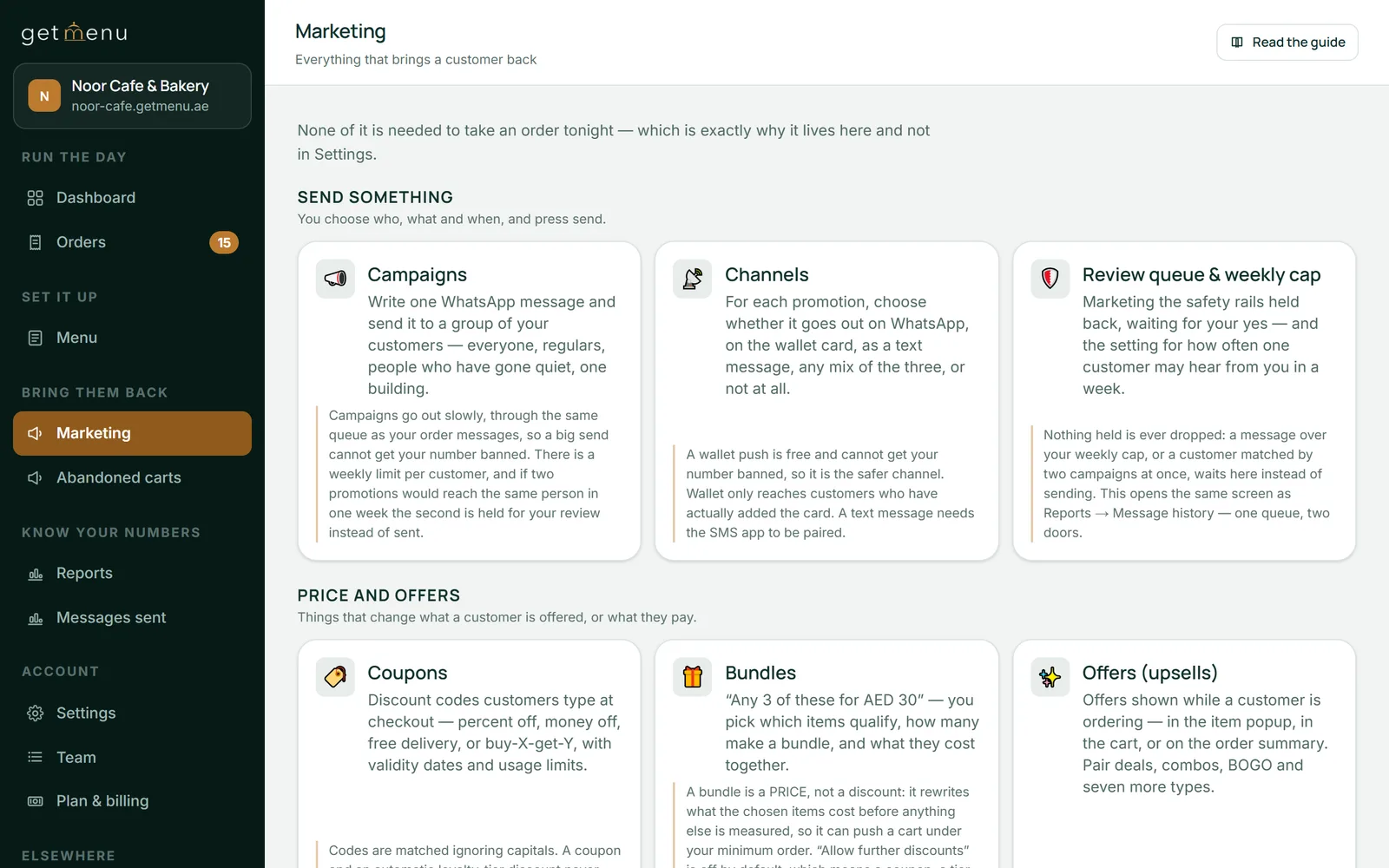
Every order on your own page gives you the customer's name and WhatsApp number, so you can ask them back. After a delivered order, GetMenu sends the customer a reminder at their usual mealtime, with a link straight back to your page. Customers who have stopped ordering get a win-back message.
You can also write your own campaign and choose who gets it, from all your customers down to the customers of one building on your delivery list. A loyalty card gives people a reason to come back. Customers keep it in Apple Wallet or Google Wallet, and it updates itself when a stamp is added. The pricing page shows which plans include each of these tools.
Orders from a delivery app work differently. The app keeps the customer, and the phone number it passes on is usually masked. So an app order gives you no number to message and no stamp to count. Put your page's link on every bag you send out, so the next order comes straight to you.
Upload your menu from an Excel file, or add dishes one by one with photos and choices such as a size or extras.
Menu
Add each building or area with its own delivery fee. Set your minimum order and your free delivery amount under Ordering rules.
Settings, then Condominiums & delivery fees
Scan the QR code from your kitchen's WhatsApp phone, then pick your managers' group and your riders' group. Add your riders by name and phone number.
Settings, then WhatsApp connection & groups, and Riders & dispatch groups
Switch on the yearly POS add-on. Add a POS for phone and WhatsApp orders and a tablet as a screen in the kitchen, then type each six-character code into the GetMenu POS app. The iPad and iPhone app is in the App Store.
Settings, then The POS
Each app has a card that says what it asks for. Fill in the ids and keys the app gave you, then paste the address shown on the card into the app's own portal.
Settings, then Delivery apps
Cloud kitchen software runs a kitchen that only delivers and has no dining room. It takes orders online, by phone and on WhatsApp, tells the cooks what to make and the riders where to go, and helps customers order again. GetMenu does this with your own ordering page, WhatsApp messages to your managers' and riders' groups, a POS and kitchen screen, and reminders at each customer's usual mealtime.
A cloud kitchen rarely takes money at a counter, so its POS matters most for orders and the kitchen. Look for one screen that shows every order, wherever it came from, and sends delivery orders to your riders. GetMenu's POS add-on does this on an iPad, an iPhone or an Android tablet, with kitchen printers or a kitchen screen, no limit on devices, and one yearly price per restaurant.
Yes. Your staff type a phone order, or an order sent in a WhatsApp chat, into the POS once. They pick the customer's building from your delivery list and add the unit number. The kitchen gets the same ticket as for an online order. When you choose a rider on the POS, your riders' WhatsApp group gets the delivery ticket.
Yes, if they can reach your door. Your ordering page takes collection orders as well as delivery, and the customer chooses at checkout. A collection order needs no building or unit and carries no delivery fee. The ticket says collection, so the kitchen has the bag ready, and the customer pays cash or by card machine when they pick it up.
Yes. Each delivery app has to give your restaurant access, and each has its own steps, such as a partner request, an agreement or a test before going live. In your dashboard, the Delivery apps page has a card for each app that says what it asks for. You paste in the ids and keys the app gives you.
No. An app order appears on your orders board, and on the kitchen screen if you have the POS add-on. When it arrives, nothing is sent to your managers' group, your riders' group or the customer, because the app sends its own updates. Orders from your own page, and the phone and WhatsApp orders typed in at the POS, are the ones that go out on WhatsApp.
Yes. When you write a campaign, you can send it to everyone, your regulars, customers who have gone quiet, or the customers of one building on your delivery list. It goes from your own WhatsApp number, spaced out, with a daily limit you can change. Campaigns are part of some plans only, and the pricing page shows which.
Your GetMenu plan is paid monthly, or per order if you choose that instead, and orders from your own page carry no commission. The POS and the kitchen screen come with the POS add-on, one yearly price per restaurant. Each brand needs its own plan, and we price several brands together, so tell us how many you run. The pricing page shows every price in your own currency.
Start with 15 free days and no card. Your ordering page and your WhatsApp order messages work from the first day. The POS and the kitchen screen come with the yearly POS add-on.