
Online menu QR code: what has to sit behind the code
Two restaurants can print the same square and get opposite results. The difference is who owns the link and what the page behind it can do.
Home / Blog / How to answer allergy questions on an online menu
Most allergy questions can be answered on the page: a plain description, the declared allergens in the dish popup and the spice level. The few that remain arrive on WhatsApp, not the phone line.
Agha Shah Zaman · Co-founder, Get Menu · 6 October 2026 · updated 16 October 2026
How to answer allergy questions on an online menu: answer them before they are asked. A dish with a plain description, its declared allergens and its spice level settles most questions on the page. The rest arrive on WhatsApp.
Customers call because the answer is not on the page. An unanswered allergy question costs a phone call in the rush, or a lost order. Put the answer in the dish's popup instead.
The CDC's data brief on 2024 puts a diagnosed food allergy in 6.7% of US adults, about 1 in 15. Some places now require allergen labels on menus. California requires chain restaurants with 20 or more locations to list the nine major allergens on all their physical and digital menus from 1 July 2026. EU rules name 14 allergens, and in the UK food businesses must be able to tell customers which of the 14 are in each dish. Elsewhere the rules differ, so check with your local food authority.
GetMenu uses the same 14 allergens, and you declare them per dish. The answer then shows in the dish popup on your interactive digital menu.
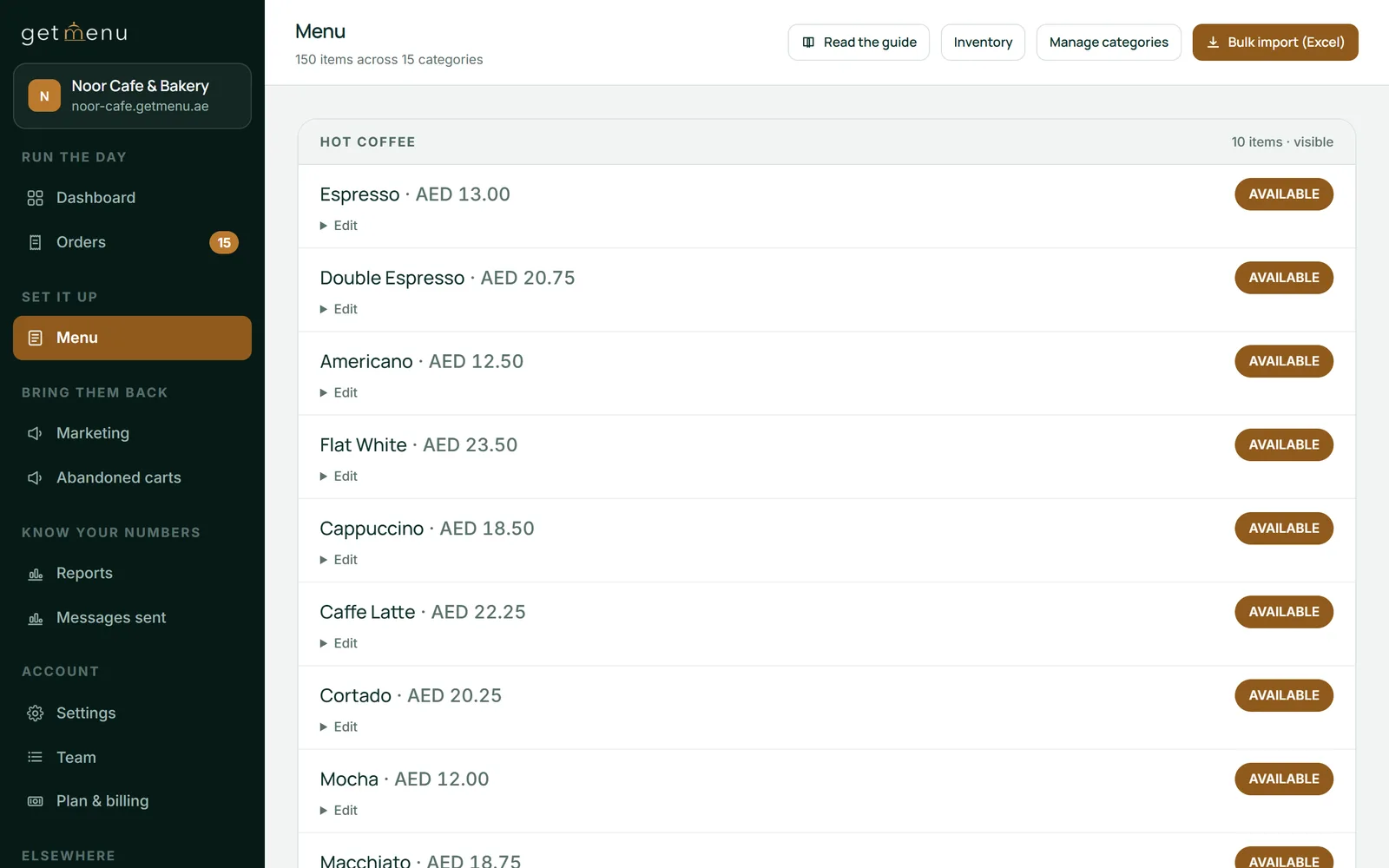
Write the ingredients in plain words: "chicken in a peanut sauce with coconut rice", not "signature satay". The card may cut the description short, but the popup always shows all of it. Vegetarian, vegan and halal labels go in the description too. A photo shows what the dish looks like and how big the portion is, but only the declared allergens and the description say what is in it.
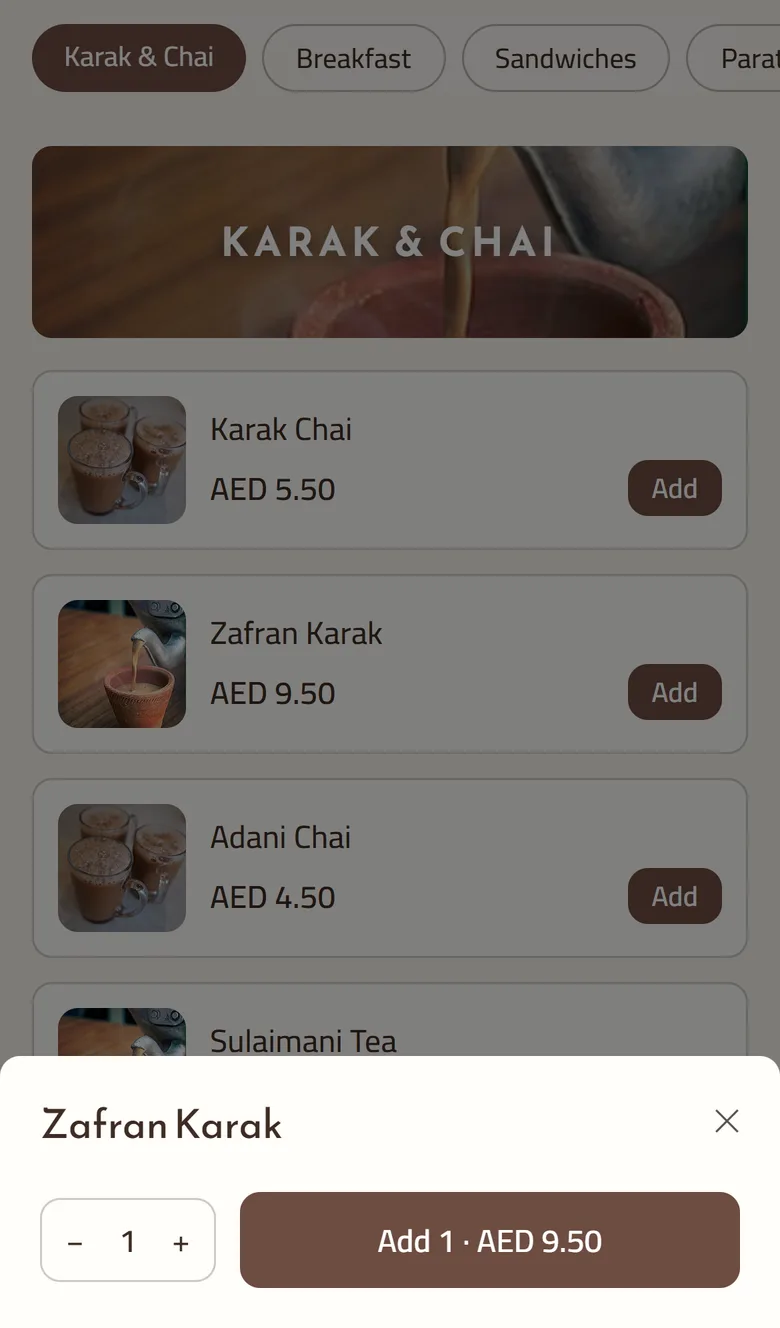
Set the spice level when you edit the dish, and customers see it on the menu card and in the dish's window. Turn the common requests into choices: add Extra spicy for customers who like it hotter, and every choice is printed in bold on the kitchen ticket. A "nut-free version" the kitchen can honestly make is a choice as well. Tick Must pick to make a choice required, so nobody forgets it.
If the kitchen cannot make the nut-free version tonight, mark it None left on the POS. It comes off the other POS devices and the online menu too, because there is one stock list for the counter and the online menu, and its counts fall as orders come in.
A note typed at checkout reaches the cook too, but a choice is safer, because the customer must pick it.
They reply on WhatsApp, and whoever holds the restaurant phone answers. The customer's confirmation arrives from your own number the moment the order is placed, with a link to the order's status page and no login needed. Nobody has to call.
The checkout note prints on the kitchen ticket at each station, and the managers' group reads it on the WhatsApp ticket. Counter, web and WhatsApp orders all print on the same kitchen ticket. An allergy note stands out: it prints in bold red above the dishes and shows as a red banner on the kitchen screen. The kitchen ticket and screen come with the POS add-on.
A guest ordering from a table QR code (Growth and Pro) types no address, because the table is the address. Nothing else changes: their allergy note prints the same way, and so does the note of a delivery customer who picks the building at checkout.
Agha Shah Zaman, a co-founder of GetMenu and a business technology analyst, puts it simply. "An allergy question answered on the page is a call that never happened and an order that was placed anyway."
It cannot filter dishes by allergen, and the cards show no vegan, vegetarian or halal icons, no calories and no ingredient lists. Those go in the description in your own words. The plans are on the pricing page, and the trial runs 15 days with no card.
Celery, cereals containing gluten, crustaceans, eggs, fish, lupin, milk, molluscs, mustard, peanuts, sesame, soybeans, sulphur dioxide and sulphites, and tree nuts: the list EU and UK rules use. GetMenu uses the same fourteen. A dish declared with milk and gluten shows "Contains: Gluten (wheat, barley, rye), Milk & dairy." in the popup.
It depends where you are. EU rules name 14 allergens, and UK food businesses must be able to tell customers which of the 14 are in each dish. California requires chains with 20 restaurants or more to list the nine major allergens on their menus from 1 July 2026. Elsewhere, check with your local food authority.
Say what you know for certain and nothing more. In a reply, confirm what the dish contains, and say whether the kitchen can make it without the allergen. If a guest's note mentions an allergy, it prints in bold red above the dishes on the kitchen ticket and shows as a red banner on the kitchen screen, so the cook sees it first.
Name the main ingredients, the cooking oil and anything hidden, such as nuts in a sauce or egg in a batter, and put vegetarian, vegan and halal labels there too, because the cards have no dietary icons. On the Growth and Pro plans, declare the allergens from the list of fourteen as well, so the popup shows a Contains line. Set the spice level on the dish, and customers see it on the card.
Declare with allergens ticked says the dish contains them. Declare with nothing ticked says you checked and it contains none of the fourteen. Clear declaration removes what was declared, and the popup shows no allergen line for that dish. The difference matters: an unchecked dish must never read as safe.
In many countries, yes: the business answers for the allergen information it gives, on the menu or in writing, and a WhatsApp reply stays in the chat as a record. Answer from the declared allergens and the recipe, never from memory, and say so when you are not sure.
Two restaurants can print the same square and get opposite results. The difference is who owns the link and what the page behind it can do.
There are two different questions hiding inside this search. One is which app to install. The other is how to take orders without one, which is the harder and more useful answer.