
Restaurant ordering software: moving regulars off the delivery apps
Regulars do not leave a delivery app out of loyalty to you. They leave when ordering from you is easier and the stamp card is theirs. Here is how to make both true.
Home / Blog / Best online ordering system for restaurants: what to compare
A checklist for choosing an online ordering system: what it asks before the order, how it handles options and stock, what happens the moment the order is placed, and who keeps the customer.
Tanzeel ur Rehman · Co-founder, Get Menu · 6 October 2026 · updated 16 October 2026
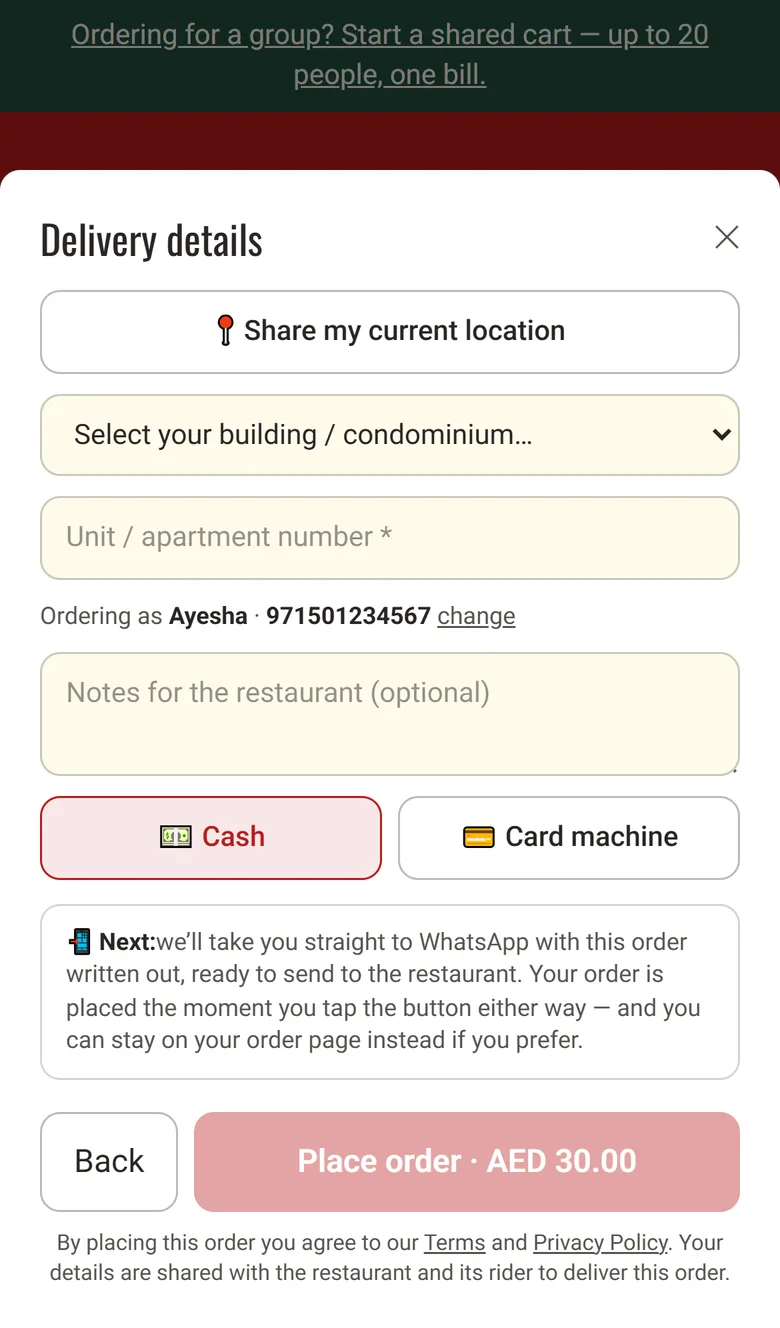
The best online ordering system for restaurants lets a customer order from a phone without making an account. The menu is easy to use on a small screen. Checkout asks for little and remembers the customer's building for the next order. The customer gets a WhatsApp confirmation the moment the order is placed.
Baymard Institute's checkout research puts average cart abandonment at 70.22% across 50 studies, with 18% of shoppers leaving because the site wanted them to create an account and 40% leaving over extra costs. These are shop figures, not restaurant figures, but the lesson is the same: ask for less.
The first test of a system for restaurant ordering is what it asks before the order:
| What to check | A checkout that loses orders | A checkout that keeps them |
|---|---|---|
| Account | Asks the customer to make an account | Takes a name and a WhatsApp number |
| Payment | Asks for card details before the order | Lets the customer pay in cash or by card machine on delivery |
| Address | Asks for the address typed by hand | Offers a list of buildings, a unit number and a map pin |
| Second order | Asks for everything again | Remembers the details on the customer's phone |
| After the order | Sends nothing | Sends a WhatsApp confirmation the moment the order is placed |
A GetMenu page takes a name and number, with no account, no password and no app. The customer picks their building from your list, types the unit number, and can share a map pin from their phone. The page remembers all of it on their phone, so the second order is a few taps. Every price comes from your menu at checkout, so nobody can change it, and tapping Place order twice makes only one order. See how the GetMenu ordering system works.
The second test is payment. GetMenu takes no online payment: the customer pays cash or by card machine on arrival, and the checkout asks which, so the rider brings the machine. That removes the card form, the failed payment and the refund. The checkout shows the subtotal, the building's delivery fee once the building is picked, and the total, with no service line.
If you are still choosing between a delivery app, a white label service and your own page, read our guide to online ordering systems for restaurants.
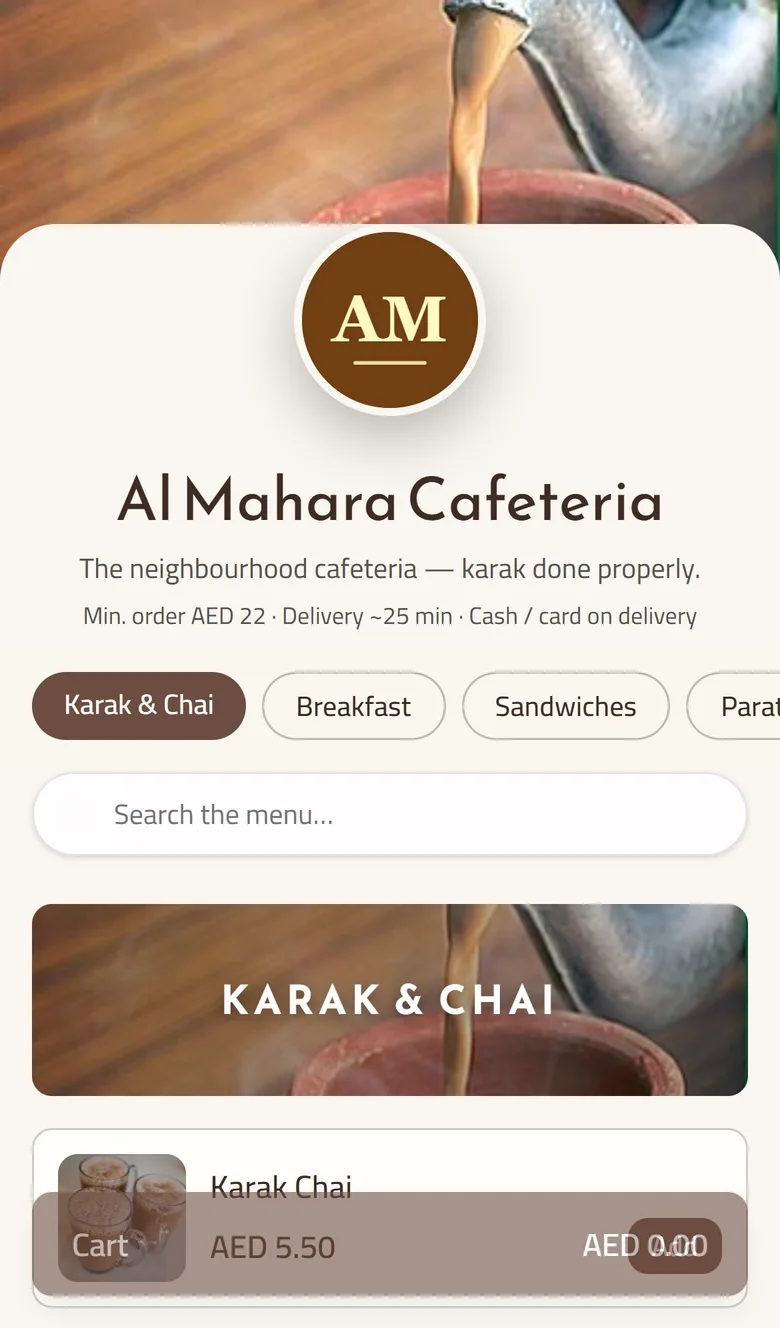
A menu that is easy to use on a small phone screen has photos, short names and prices on each card, and options that open in a sheet, not on a new page. Many restaurants still put a PDF menu online instead of using online restaurant software. A PDF cannot take an order, so the customer calls and the wrong address gets written down.
You build the GetMenu menu in the dashboard, or upload it from a spreadsheet with categories, items, prices and option groups in one file. Options carry their own prices, required choices cannot be skipped, and the spice level and every special request are printed in bold on the kitchen ticket. A customer's note prints on the ticket too, and an allergy note prints in bold red above the dishes.
GetMenu keeps one stock list for the counter and the online menu. The POS is the point-of-sale app at your counter. Stock counts fall as orders come in. A dish at zero, or marked None left on the POS, is taken off every POS device and off the online menu. Nobody orders the last biryani twice.
An online ordering and delivery system is judged after the order is placed. Three people need information. The customer needs to know the kitchen has the order. The kitchen needs it on a ticket. The rider needs the building and unit number. Every order prints on one kitchen ticket at each station: counter, web and WhatsApp.
GetMenu sends three messages the moment the order is placed: a confirmation to the customer from your own WhatsApp number, a ticket to the managers' group, and a dispatch to the riders' group. The dispatch carries the building and unit number picked at checkout, the map pin, the phone, and whether to collect cash or bring the card machine. When the order goes out, the customer is told which rider is coming, and the rider opens one link and taps Confirm to mark it delivered.
Online and WhatsApp orders show on the POS screen beside counter sales. For a dining room (table QR ordering is on the Growth and Pro plans), a guest who scans a table's QR code types no address, because the table is the address.
On a delivery app the customer belongs to the app. NCR Voyix's survey found that 58% of customers prefer to order delivery through a restaurant's own app or website rather than through a third party.
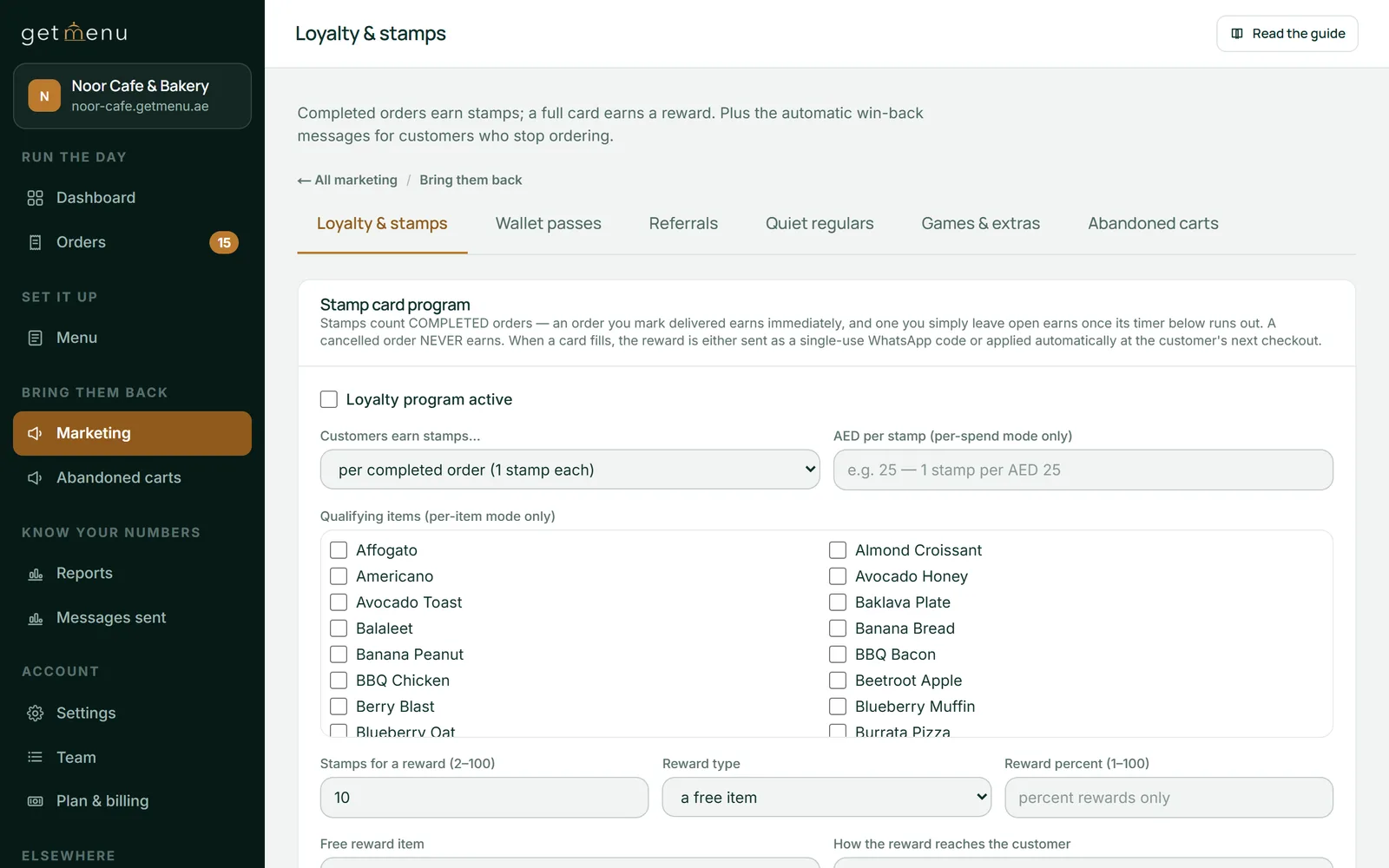
The best restaurant online ordering software keeps the name, the number and the order history for you, and puts them to work. On GetMenu's Pro plan a customer earns stamps per order, per spend or per item, regulars grow into tiers with their own discounts, and the loyalty card keeps updating itself in Apple Wallet or Google Wallet without an app. After a delivered order, a "Hungry again?" reminder reaches each customer at their usual mealtime, and a review request with your Google link goes out after delivery. On the Growth and Pro plans, coupons with exclusions and expiry dates, and bundles of any three for a fixed price, give the regulars a reason to order direct. Each plan's features are listed on the pricing page. The owner can download your orders, with each customer's name and number, as a spreadsheet from the Orders board.
Rank the best restaurant software by two plain questions: whose address is the page on, and what does an order cost you?
A GetMenu page lives on your own subdomain, or on your own domain as an add-on. The plans are flat prices, paid monthly or yearly, or a small amount per order if you prefer, all shown in your currency on the pricing page, with no commission on orders. With invoicing on your plan, each order has an invoice the customer can download from their order page without logging in. In the UAE it carries your tax registration number (TRN) once you add it. The POS is a yearly add-on with no trial of its own, and the ordering plan's trial runs 15 days with no card.
The best restaurant system is the one your customers finish, so test it as a customer. Open the demo or trial page on your phone over mobile data, not Wi-Fi. Try to order a dish with a required option without choosing it. Share your location and see where the pin lands. Place the order and watch which messages arrive. Time the walk from the first tap to the placed order. If a first-time customer needs more than a minute, count the fields and find the extra steps.
Tanzeel ur Rehman, a co-founder of GetMenu, puts the test in one line. "If your mother cannot order from it on her phone without calling you, it is not an ordering page. A page that makes customers call you has failed."
Score each system on three things: how many fields it asks for, what it remembers on the second order, and which messages arrive after the order. Choose the one that scores best. The guide to setting up online ordering and a buyer's checklist cover the same ground from the vendor's side.
The best ordering system for restaurants of that size is one a customer can finish on a phone without an account, that puts every order on one kitchen ticket, and that tells the customer, the managers and the rider the moment the order is placed. For a small restaurant that also means a price with no commission and a page on its own address. GetMenu was built around that list, and its trial runs 15 days with no card.
Some systems cost nothing a month and charge a fee on each card payment, and others charge a monthly subscription. Check each system's own price page. The real cost is the fees underneath: commission, a service fee the customer pays, or a markup on card processing. Compare the monthly figure with the commission on a normal month of direct orders. GetMenu shows its plans in your currency on its pricing page, with no commission.
Yes, even if you stay on the delivery apps. The apps bring the first order; your own page keeps the second, with the customer's name and number in your hands rather than the app's. NCR Voyix's survey found 58% of customers prefer to order delivery through a restaurant's own app or website. Many restaurants run both: the apps for reach, and a QR card in every bag pointing regulars to the direct page.
Five things, in this order. How little it asks before the order. Whether options and stock are handled so the kitchen gets what it can cook. What happens the moment the order is placed. Who keeps the customer's details. And whose address the page is on. Test each on your own phone before you sign anything.
No, by design. The name and WhatsApp number are kept in the browser of the phone that ordered, and the page never looks a customer up by phone number. On a new phone the customer types them once, and that phone remembers them from then on, while the order history stays with you on the Orders board.
Regulars do not leave a delivery app out of loyalty to you. They leave when ordering from you is easier and the stamp card is theirs. Here is how to make both true.
There are two different questions hiding inside this search. One is which app to install. The other is how to take orders without one, which is the harder and more useful answer.