Home/Blog/Restaurant management software: what it really covers
Restaurant management software: what it really covers
The phrase covers eight different jobs. No product does all eight well, and the weakest one is usually the one holding your customers.
Tanzeel ur Rehman · Co-founder, Get Menu · 2 September 2026 · updated 16 October 2026
A one-minute look at how this works in a real restaurant.
Restaurant management software is a phrase, not a product. It gets used for at least eight different jobs, and no supplier does all eight well.
This guide separates them, says which parts of a suite are usually strong and which are usually thin, and gives you a way to decide what to buy as one thing and what to keep separate.
The eight jobs hiding in one phrase
Write these down before any demo, and mark the two or three that are actually hurting you now:
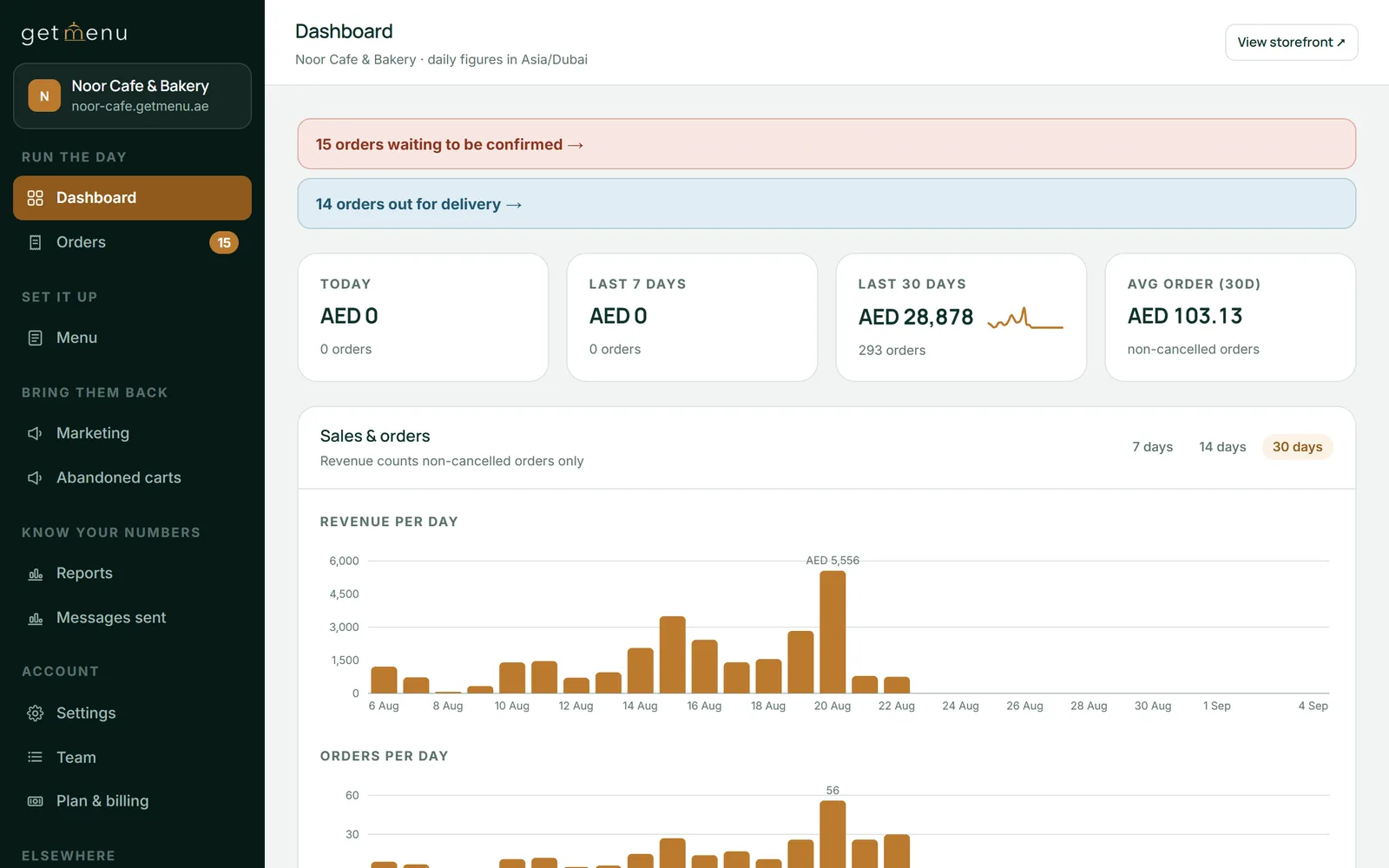
The dashboard: today, the last 7 days, the last 30 days, and the orders that need a decision
Taking money at the counter. The register: orders, payment, receipts, end of day.
The menu. Prices, items, options, what is available today.
Stock. What you have, what it is costing, what ran out.
Orders from outside the room. Delivery, collection, messages, marketplaces.
The kitchen. Tickets, timing, who is making what.
Staff. Rotas, hours, wages.
Customers. Who came, how often, who stopped.
Reporting and tax. What sold, what it earned, what the authority needs.
A restaurant management system sold as one box will be genuinely good at one or two of these, adequate at three, and thin at the rest. That is not a criticism, it is what happens when a company builds outward from what it started with.
Which parts are usually thin, and why it matters
The counter is nearly always the strongest part of a suite, because it is what the company was built to do.
The thin ones are usually customers, marketing and online ordering. They were built to stop you buying something else, and here is the part that matters: those are the modules that hold your customer list.
"The weakest module in the box is nearly always the one holding your customers. That is not an accident, it is the business model. Ask how your list comes out before you ask what the module does."
— Anzul Aqeel, founder of Get Menu
So the test is not how good a module is. It is whether your data comes back out of it. A weak module you can leave is an annoyance. A weak module you cannot leave is a five year decision made in an afternoon.
Buy as one thing, or keep separate?
A rule that has held up well: buy as one thing whatever shares a physical moment, and keep separate whatever does not.
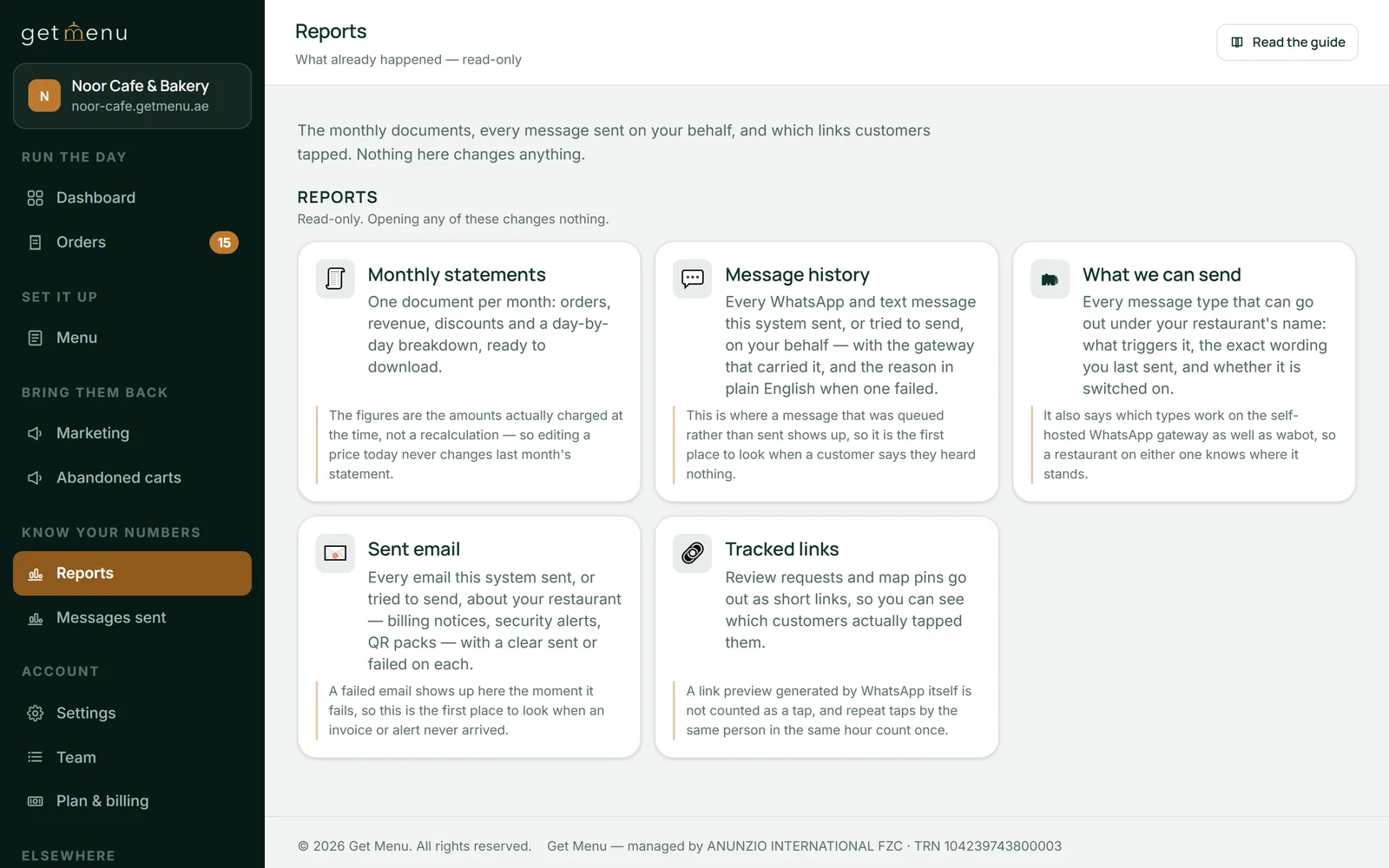
Reports: sales, best sellers, messages sent
The counter, the receipt, the drawer and the end of day all happen at the same place at the same time. Buy those together.
The menu a customer reads at home, the message that confirms their order, and the record of whether they came back are a different moment entirely. They can be separate, they will usually be better for it, and separating them means the customer list is not hostage to the register contract.
What we do, and what we do not
Get Menu started as the second half, and the POS add-on covers part of the first. It opens a cash drawer and closes each shift. It does not drive a card terminal, and it does no rotas or payroll.
What it does, with no hardware, beside whatever register you own:
Coupons, upsells and fixed-price bundles, each with its own caps, exclusions and expiry, and never two automatic discounts on one order.
Upload a spreadsheet and the menu is in, categories, prices and options included.
An ordering page under your name, with 12 page layouts to choose from so the menu reads as you intend, not as a template decides.
Your menu, your edits, with options and add-ons that carry their own prices and required choices the kitchen can trust without a phone call.
No stale prices: every line is priced at checkout from the live menu, whatever the customer's page said an hour ago.
WhatsApp handles the talking: confirmation to the customer the moment the order is placed, ticket to the kitchen, link with the pin dropped at checkout to the rider. 3 messages in about 2 seconds, on WhatsApp's own business platform.
Stock that counts down with the orders, on items and on options, and hides a dish the moment it hits zero.
Stamps and tiers for your regulars, automatic discounts attached, the card in the wallet through Google's loyalty card format and no app to install.
Every order can produce a tax invoice carrying your registration number, downloaded as a PDF without an account (the format the tax authority sets out).
The code does the addressing: the kitchen sees the table number without anyone writing it.
Group ordering: everyone orders from their own phone and the table gets one bill.
Starting from the job that hurts
The common mistake is buying a suite to fix one problem and inheriting seven modules you did not need. It feels efficient and it is how a restaurant ends up unable to change any single part of its setup.
A better order of operations is to name the job that is actually costing you money this month, buy the best thing for that job alone, and check before you buy that your data leaves it cleanly. Then do the same thing next quarter for the next job.
It sounds slower. It is usually faster, because each decision is small enough to reverse, and none of them holds the others hostage. The one exception is the group that shares a physical moment: the counter, the drawer and the receipt should be bought together, because splitting those creates work every single day.
What to ask any supplier of restaurant software
Four questions, in this order, and get the answers in writing:
Which of the eight jobs above do you actually do, and which do you do because a customer asked once?
Can I export my sales history and my customer list myself, today, without a fee?
What is the two year total with the modules I will really use switched on?
What does leaving in the middle of the term cost?
A supplier who answers all four plainly is telling you something true about the next three years.
Our own pricing sits on the pricing page rather than in this article. The trial runs 15 days with no card. Payment is cash or your own card machine at the door or the table, with no online payments anywhere in the system, which means no card details are held in it, and old order details clear automatically after 120 days.
Frequently asked questions
Is restaurant management software the same as a POS?
No. A POS is one of the eight jobs, the one at the counter. The phrase covers seven others as well, which is why two products described the same way can be nothing alike.
Is Get Menu a restaurant management system?
It is part of one. It handles the menu, ordering, stock, messaging and loyalty, and the POS add-on handles the register. It does not handle rotas or payroll, and it says so rather than pretending.
Should I buy one suite or several tools?
Buy as one thing whatever shares a physical moment, like the counter and the receipt. Keep separate what does not, especially anything holding your customer list.
How do customers pay?
Cash or your own card machine when the food arrives. The software never touches the money.
Does it work for restaurant management software Dubai operators with two branches?
Yes. Each branch keeps its own menu, hours and delivery area, staff logins see only their own site, and the owner sees both together.
One login for the whole day: menu and stock in the morning, orders from four sources during service, the shift close at night, and the reports, invoices and orders export at the end of the month.
Software sold under this name rarely does the same thing twice. Before comparing anything, it helps to know which of the six jobs inside the phrase your kitchen actually has today.