
Kitchen display system software vs paper tickets
Orders get lost on paper because paper falls, sticks and fades. They get lost on a screen when nobody looks at it. Here is where each wins, and how one kitchen runs both.
Home / Blog / Restaurant inventory app: live stock or full inventory first?
Most small kitchens do not need to weigh the oil. They need the biryani to show as sold out the moment the last portion goes. Here is the difference, and where to start.
Agha Shah Zaman · Co-founder, Get Menu · 7 October 2026 · updated 16 October 2026
Complex inventory systems often fail in their first month because they ask a tired kitchen to count everything down to the gram. A small restaurant needs live stock first: a count on the dishes that run out, taken down by each order, with sold out happening by itself. GetMenu's restaurant inventory app does that and sends a WhatsApp when a dish runs low.
They fail because the counting is the product. A full food inventory management app wants every delivery entered, every recipe weighed and every shelf counted on a schedule, and the moment one shift skips a count the numbers stop being true. After that nobody trusts the report, and nobody opens the app.
One inventory vendor is honest about it: Supy calls adoption failure the industry's dirty secret and says abandonment within 60 days is common when the system creates more work than it removes. MarketMan's counting guide puts a weekly full count at one to three hours on top of daily counts of proteins. In a kitchen of five people that is hours lost every week.
The waste it is meant to catch is real, but it is not huge. FoodPrint, citing the US environmental group NRDC, says 4 to 10 percent of food purchased by restaurants is wasted before it reaches a customer. A system that costs more in wages than it saves in waste is a system the kitchen will quietly stop using.
Live stock answers one question: can this dish still be ordered right now? With live stock, you type a count next to the dishes that run out, every order takes the count down, and at zero the dish shows as sold out on your menu and on the counter with nobody watching.
Cooks call this 86ing a dish. Someone shouts it across the kitchen, and the person taking web orders never hears it. With GetMenu the count does that job. The count can sit on the dish or on one option, so you can run out of the large size and keep selling the small. Two customers ordering the last portion at the same moment is handled too: one gets it, the other is told at checkout that it just sold out, and their order is not placed.
When a dish is at or under your alert level, "Only 3 left" shows on the dish card, and the customer cannot add more than what is left. The checkout checks the live count the moment the order is placed, not the menu the customer loaded ten minutes earlier.
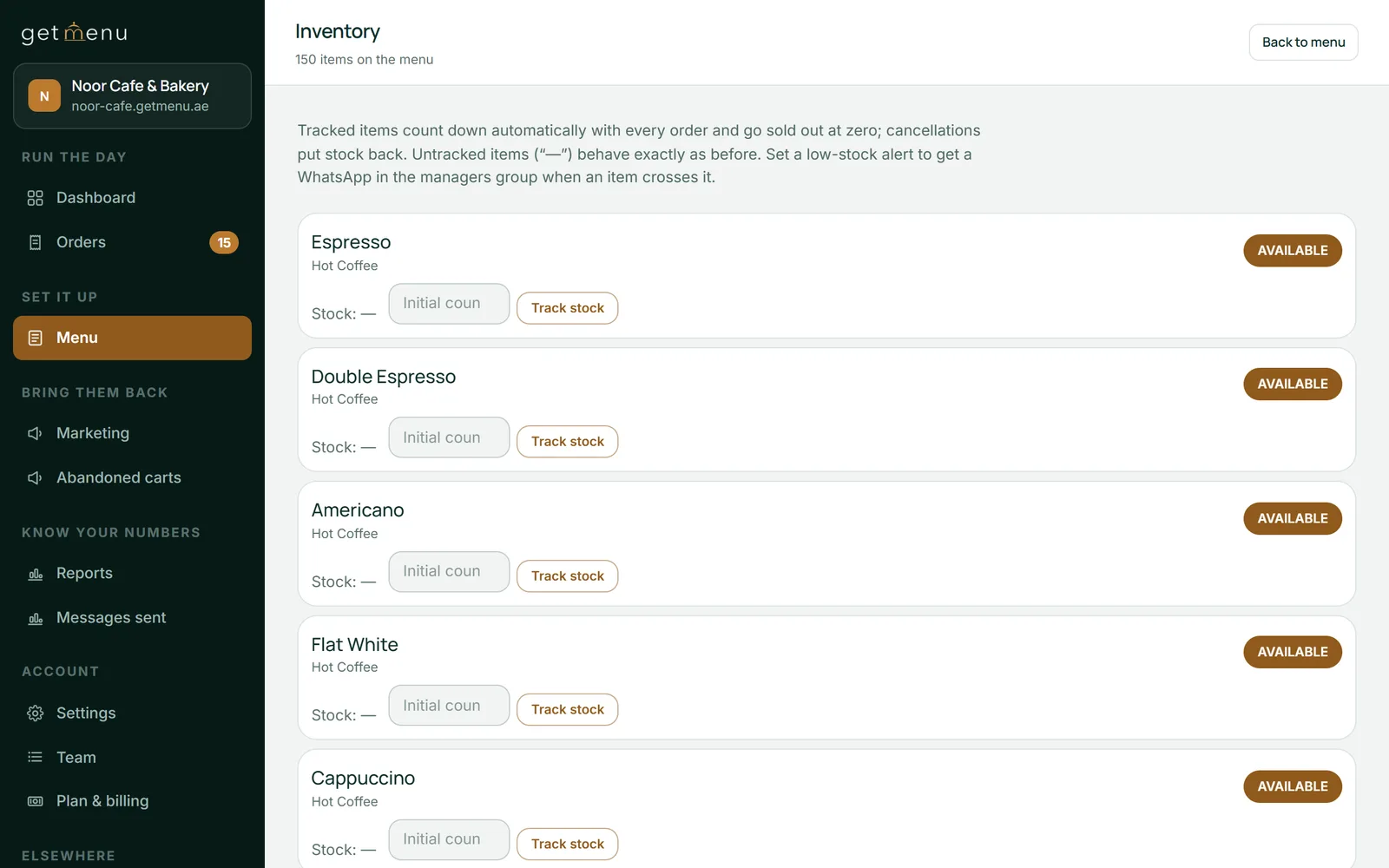
A small restaurant needs four things first, and all four are about today's service. Counts on the dishes that sell out, a sold-out mark that happens on its own, an alert before the last portion goes, and a record of where the units went. Full food inventory management software can come later, when the kitchen has the habit. The best restaurant inventory app for a small kitchen is the one the kitchen still uses in month three.
GetMenu covers the four. When an online order takes a dish below your alert level, your managers' WhatsApp group gets one message, so somebody can restock or decide to let it run out. Every change to a count is written in the stock history (the Stock movements list on the Inventory page) with its reason: order, cancel, restock, adjust, stock take or wastage.
With the GetMenu POS, a yearly add-on, counter sales take from the same count as online orders. A biryani sold at the counter and one sold on the page come off the same number, and online and WhatsApp orders show on the POS screen beside the counter sales. One stock list for the counter and the online menu: mark a dish None left on the POS and it comes off the other POS devices and the online menu. Stock control itself is in every GetMenu plan; the pricing page shows the plans and the POS add-on.
A sold-out dish stays on the menu with a Sold out mark instead of an Add button, so the customer knows you make it and comes back for it. It does not disappear, and a count at zero does not fill itself back up at midnight.
It comes back when stock does. Cancel an order and its portions go back on the count, and a dish that hit zero returns to the menu at once. Restock in the morning with the + Restock button, or set a fresh count, and the dish is on sale again. If you would rather not count a dish at all, the Available and Sold out switch on the menu page flips it by hand in one tap.
A dish that sells out at the counter shows as sold out on your online menu at once, with "Sold out" in place of the Add button. A customer who already has the page open sees the mark when it reloads. If they try to order the dish, the checkout refuses it at once with a clear message, because it reads the live count.
Running out costs sales. One retail survey found that 39% of shoppers left a store without buying because an item was out of stock. A clear Sold out mark on the menu tells the customer before they order, not after.
Count what runs out and what costs the most, and nothing else at first. F&B inventory management in a hotel group is a department; in a five-person kitchen it is one number a day per dish. For most small restaurants that is a short list of dishes: the slow-cooked ones made in a batch, the fish, the specials, and anything that needs a morning prep you cannot repeat at eight in the evening.
Set the count once in the morning when the batch is ready, and let the orders take it down. At close, the stock history already shows what sold, what was cancelled and what you wrote off as wastage. At the weekly stock take you count the expensive items, and the history shows you why a number is off. That is the whole routine: the morning count is the one thing to remember, and it survives a busy Friday.
Kitchen inventory management software with recipes, suppliers and purchasing is useful when you are ready to chase food cost. GetMenu has recipe and purchasing tools for that day, but they are the second step, taken when the first has become a habit.
Agha Shah Zaman, a co-founder of GetMenu and a business technology analyst, puts it this way. "A system that asks a tired cook to weigh the oil at midnight is abandoned by Friday. Count the things that run out, let the orders do the counting through the day, and the kitchen will keep it up."
Upload the whole menu from a spreadsheet, with options and add-ons at their own prices, and tick Track stock on the dishes that need it. With the POS, every order prints on one kitchen ticket at each station: counter, web and WhatsApp. The customer's confirmation comes from your own WhatsApp number the moment the order is placed, and a dispatch goes to the riders' group with the building and unit number picked at checkout.
On the Pro plan, regulars grow into tiers with their own discounts and the loyalty card keeps updating itself in Apple Wallet and Google Wallet. On every monthly plan, the customer can download the PDF invoice without logging in. Plans are flat monthly or yearly prices with no commission, listed in your currency on the pricing page, and the trial runs 15 days with no card.
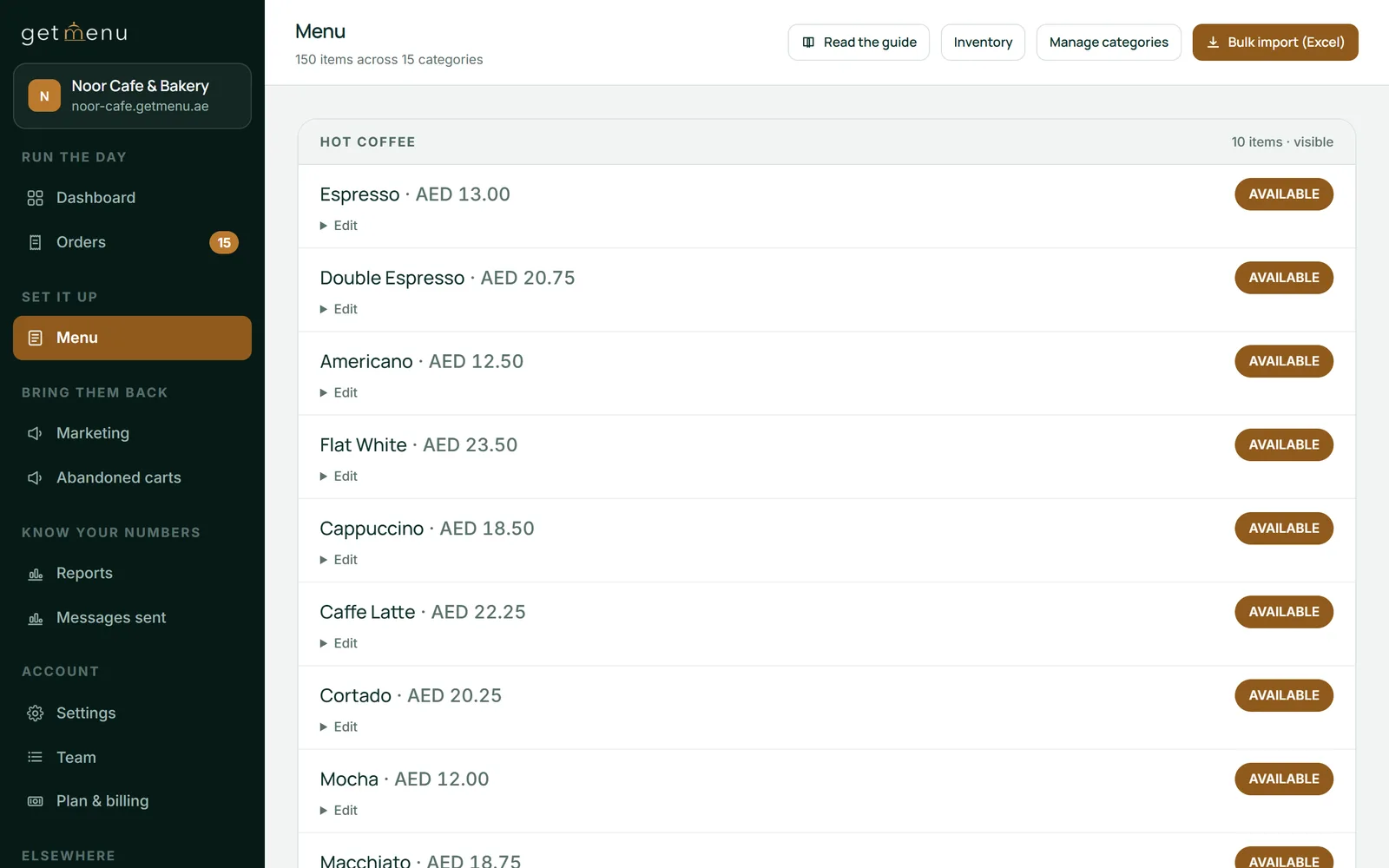
Count the dishes that run out every morning, when the batch is ready, and let the orders take the count down through the day. A weekly stock take of the expensive items catches waste and over-ordering, and a monthly count covers dry goods. The stock history shows why each count moved, so the weekly count only has to cover the expensive items.
Because the counting becomes a second job. A system that needs every delivery entered and every recipe weighed stops being true the first time a shift skips a count, and once the report is wrong nobody opens it. Start with live stock on the dishes that sell out, which costs one number a day per dish, and add recipes and purchasing only when the habit is there.
No. A dish that hit zero stays sold out until stock comes back: restock it, set a new count, or cancel an order that held the last portions. A dish sold out by hand with the switch on the menu page stays sold out until you flip it back. A count that reaches zero never fills itself back up; only a dish marked None left on the POS comes back by itself, at the end of your restaurant's day.
To 86 a dish is to take it off sale because the kitchen has run out, and it is usually shouted by the cooks. The problem is that the person taking online orders rarely hears it, so the dish keeps selling. With a live count the 86 happens by itself: at zero the dish shows as sold out on the menu and at the counter, and the kitchen never has to shout.
If you search for a restaurant inventory app free of charge, you will find ones that count boxes, but a general one does not know your menu, so it cannot stop a customer ordering the last biryani. For a small restaurant the useful first tool is live stock inside the ordering system: a count per dish and per option, sold out at zero, a low-stock WhatsApp and a stock history. GetMenu includes that in every plan, with a 15-day trial.
Yes. When an online order is cancelled, every dish and every option on it goes back on the count, and a dish that had reached zero comes back on sale at once. The stock history records the cancel beside the original order, so the day's numbers still add up, and a POS refund can put stock back too when you ask it to.
Orders get lost on paper because paper falls, sticks and fades. They get lost on a screen when nobody looks at it. Here is where each wins, and how one kitchen runs both.
Most kitchens buy software for this before they have a habit for it, and the software then measures a habit that does not exist.