Home/Blog/Restaurant menu software: one menu for every screen
Restaurant menu software: one menu for every screen
One kitchen, one menu. How categories, sort numbers, photos, options and stock live in one list that the counter, the QR tables and the ordering page all read, and where the dishes you want to sell should sit.
Tanzeel ur Rehman · Co-founder, Get Menu · 7 October 2026 · updated 16 October 2026
Restaurant menu software should let you edit a dish once, so the counter, the tables and the ordering page all agree. To guide guests to your highest-margin dishes, put them first in their category on the phone screen, with a good photo, not first because they cost most. On GetMenu, a Sort number and a featured slot do this.
What restaurant menu software has to do: one menu, three screens
A restaurant has one kitchen, so it should have one menu. The trouble starts when the counter has its own list, the QR code opens a PDF and the website carries a third version. A price changed on Tuesday then reaches them on different days. Restaurant menu management software earns its name when one edit shows everywhere the dish can be ordered.
On GetMenu the menu is one list. The ordering page, the QR codes on the tables and the POS app on the counter all read it. Saving an edit in the dashboard updates the page at once, so the next refresh shows the change. A customer who already had the page open is still charged the live price, because the bill is worked out again from your live menu when they order. Online and WhatsApp orders show on the POS screen beside counter sales, and once a delivery app has given you partner access, its orders land on the same board. On the Growth and Pro plans, a guest at a table scans a code and orders from the same menu a delivery customer sees. The table is the address, so there is nothing to type.
Where to put the dishes you want to sell on a digital menu
Put the dish you most want ordered first in the first category, with a photo. On a phone, the customer sees only the top of the menu before scrolling, which is usually the first two or three dishes of the first category. Choose the dish that earns you the most after food cost, has a good photo and has a name people repeat.
GetMenu gives you two plain tools for it. Categories carry a Sort number, and lower numbers come first, so the category you want read first sits at the top. Every dish has a Sort box too: lower numbers come first within the category, and a blank goes last, so you can add fast and arrange later. The dashboard's best-sellers list shows what sold and what it earned, so you know which dishes deserve the top of the screen.
The third tool, on the Growth and Pro plans, is the chef's pick (called the chef's rotation in the dashboard). It is a featured slot that highlights one dish, so the page always has something for today. When the system rotates it, it picks the dish that has gone longest without a turn, and never your bestseller, because the bestseller sells itself.
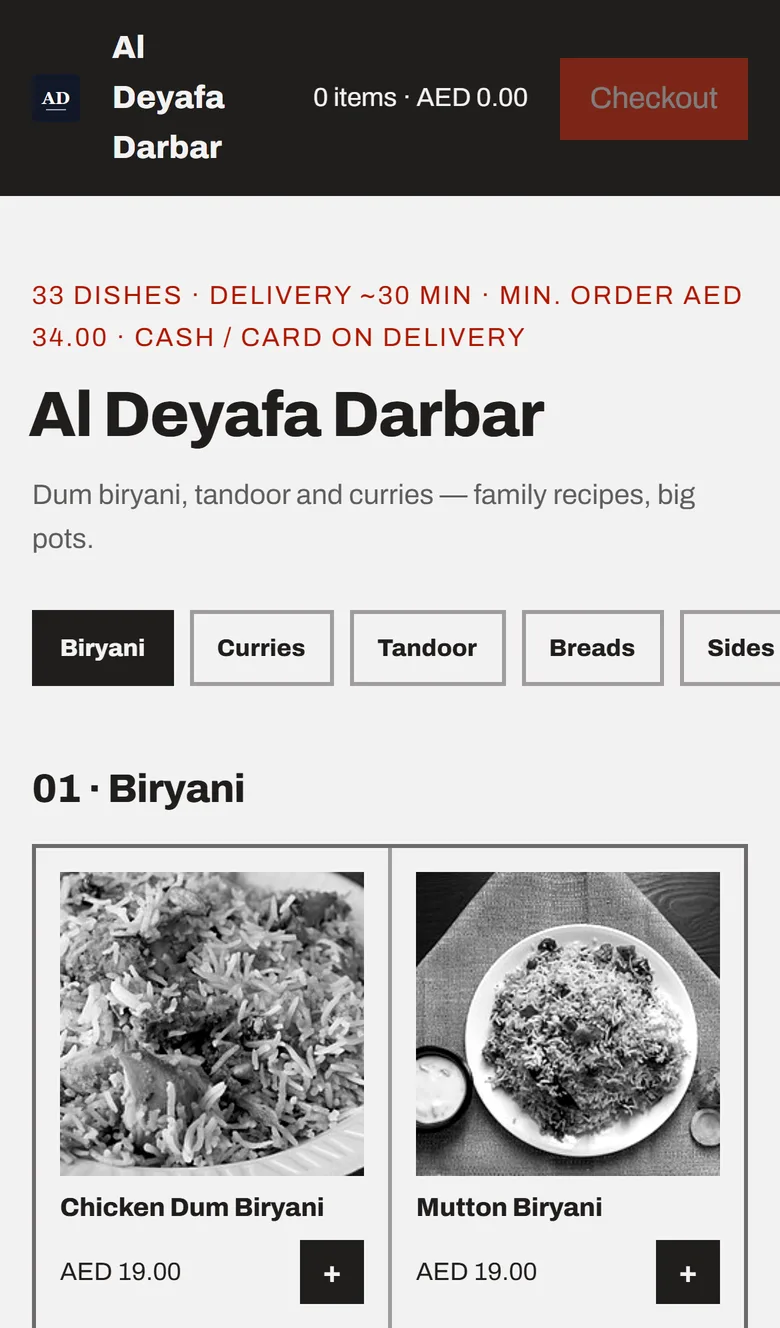
A showcase demo's dense-grid ordering page on a phone: the restaurant's name and category buttons, then a two-column grid of dish photos with names, prices and + buttons
Photos, names and prices: what a restaurant menu management system should make easy
Photos sell. A guide to the research cites a DoorDash study of over 15,000 merchants in which menus with item photos saw up to 44% more monthly sales. The same guide notes that Deliveroo says sites with menu photos can increase their orders by 25%.
A restaurant menu management system should make photos cheap to add. On GetMenu you upload any photo and it is squared to 800 by 800, compressed in the browser and saved as a WebP or JPEG. A phone photo taken in the kitchen is good enough, and it loads fast. The price shows in your own currency. The Available pill beside each dish switches it to Sold out without deleting it.
Menu maker software, also called restaurant menu maker software, is built for print. It makes a PDF for the wall. A PDF behind a QR code cannot take an order, which is why a digital menu that takes orders needs food menu software built for the web.
Options, stock and allergens on the same menu
Options on GetMenu are groups with their own prices, a required flag so the kitchen never guesses the size, and a maximum number of picks. Each dish can also carry a spice level, which customers see on the menu and in the dish popup.
With the POS add-on, every choice prints in bold on the kitchen ticket. A customer's note prints on the kitchen ticket too, and an allergy note prints in bold red above the dishes, so the line the cook reads is the line the customer chose. Counter, web and WhatsApp orders all print on the same kitchen ticket at each station.
Stock lives on the same list, in every plan. Track a count on a dish or on a single option, and stock counts fall as orders come in from the page, the tables and the counter. An "Only 3 left" chip warns customers as stock runs low. At zero, the dish shows as sold out. Marking a dish None left on the POS does the same: one stock list for the counter and the online menu, so the dish also comes off the other POS devices and the online menu.
On the Growth and Pro plans, allergens are declared on the Marketing page under Mystery item and allergens, from a fixed list of fourteen. A declared dish shows "Contains: Milk, Gluten" in its popup. An undeclared dish shows nothing rather than a false all-clear.
On the Growth and Pro plans, the same menu can hold a secret item that only a shared link unlocks, and a mystery box the kitchen fills at a set price. On Pro, where customers carry your loyalty card in Apple Wallet or Google Wallet, a wallet-exclusive item shows locked to everyone except the people who carry the card.
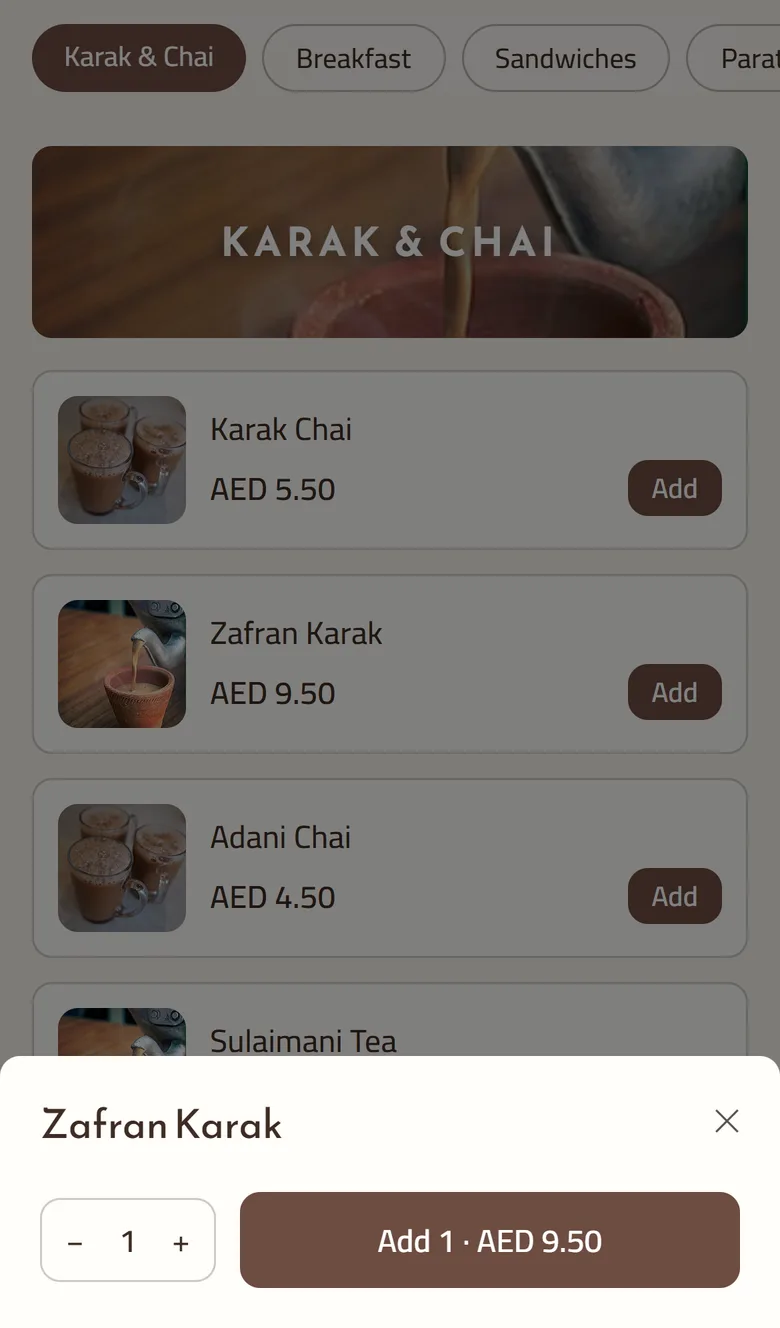
The dish sheet on the ordering page: the dish name, a quantity stepper and the Add button with the price, over the menu
Menu pricing software and the food-cost page
Menu pricing software usually means recipe costing. GetMenu has two pages for it, in every plan. Under Menu, Ingredients and suppliers holds what you actually buy. Recipes and food cost takes a dish, its ingredients and how much a portion uses, and shows what the dish costs you and what you keep. Every sale takes that recipe off the shelf, whether it came from the counter, the ordering page or a delivery app, and a cancelled order puts it back.
On the Growth and Pro plans, lower a price on an existing dish and customers who ordered it before can be told. The message waits until the new price has stood for a period you set and cleared a minimum percentage, so a corrected typo never reaches anyone.
How to import a restaurant menu from Excel
A menu management system for restaurants with hundreds of dishes needs a fast way to load them: the Excel import. Download the template, fill one row per dish, and upload. Add keeps your current menu, and Replace builds a new one from the file. Replace also clears stock counts and allergen tags, so the page warns you first and a repair tool copies them back.
QR menu and layouts for the tables
The same list feeds table QR ordering on the Growth and Pro plans. Switch it on, print the QR cards from the designer's print pack, and each code opens the menu for that table. Choose from 12 page layouts and 57 colour and font presets, and use a text-only layout for a very long menu.
Menu building software for an ordering page also has to take orders, keep stock and print tickets. A flyer tool does none of that.
Tanzeel ur Rehman, a co-founder of GetMenu whose web development courses have taught over 160,000 students, puts the design rule in one line. "The menu is a database with a photo on each row. Every screen should be a view of it, never a copy."
What this restaurant menu software does not do
It does not run digital menu boards on a television. It does not show dietary tags such as vegan or halal, calories or ingredient lists to customers, and customers cannot filter the menu by allergen. If you need those, use a different tool beside it.
GetMenu keeps one menu across the counter, the tables and the ordering page. See the plans on the pricing page. The 15-day trial needs no card.
Frequently asked questions
What is restaurant menu management software?
Restaurant menu management software keeps one list of dishes that every place you sell from reads. On GetMenu, the counter, the QR tables and the ordering page all read the same menu, so a price, photo or sold-out dish changes everywhere with one edit.
Where should the most profitable item go on a menu?
Put it first in its category, with a photo, in the top part of the phone screen, which is what the customer sees before scrolling. Do not put a dish first only because it costs most. On GetMenu, give it a lower Sort number than the other dishes in its category.
What is menu engineering?
Menu engineering is sorting your dishes by how well they sell and how much each one earns, then changing where they sit, how they are described and what they cost so the profitable ones get chosen more. On GetMenu, the best-sellers list gives you the numbers, and the Sort boxes and the chef's pick do the moving.
Do food photos actually increase orders?
The published figures say yes. DoorDash reports up to 44% more monthly sales for menus with item photos, and Deliveroo says sites with menu photos can increase their orders by 25%. On your own ordering page the same effect works for you, not for an app.
What is the chef's pick?
The chef's pick is a featured slot that highlights one dish at a time. The dashboard calls it the chef's rotation, and it is part of the Growth and Pro plans. Pick the dish yourself, set a list, or let the system choose. It then features the dish that has gone longest without a turn, and never your bestseller.
How does the Excel import work?
Download the template, fill one row per dish with the category, name, price, description and options, and upload the file. Choose Add to put the rows beside your current menu, or Replace to remove the old menu and build a new one from the sheet. A preview lists any problem rows before you confirm, and the valid rows import either way.
The server goes, the menu moves as data, the counter runs on devices you choose, and online orders and riders join the same screen. What changes when a restaurant leaves on-premise Aloha, and how to do it without a lost service.