
Online ordering
Your own ordering page. Customers pick options like size or extras, and a dish that has run out cannot be ordered.
Home / Blog / Table ordering system: from QR scan to kitchen screen
A QR code that only shows the menu still leaves guests waiting. A QR code that sends the order to the kitchen and the table's bill speeds up service. Here is how it works and how to set it up.
Tanzeel ur Rehman · Co-founder, Get Menu · 7 October 2026 · updated 16 October 2026
Many guests dislike QR code menus that only show the menu, but a QR code that takes the order itself speeds up service. GetMenu's table ordering system gives every table its own QR code. The guest orders on their phone, and the order reaches the kitchen and the table's open bill on the POS. Table QR ordering is on the Growth and Pro plans.
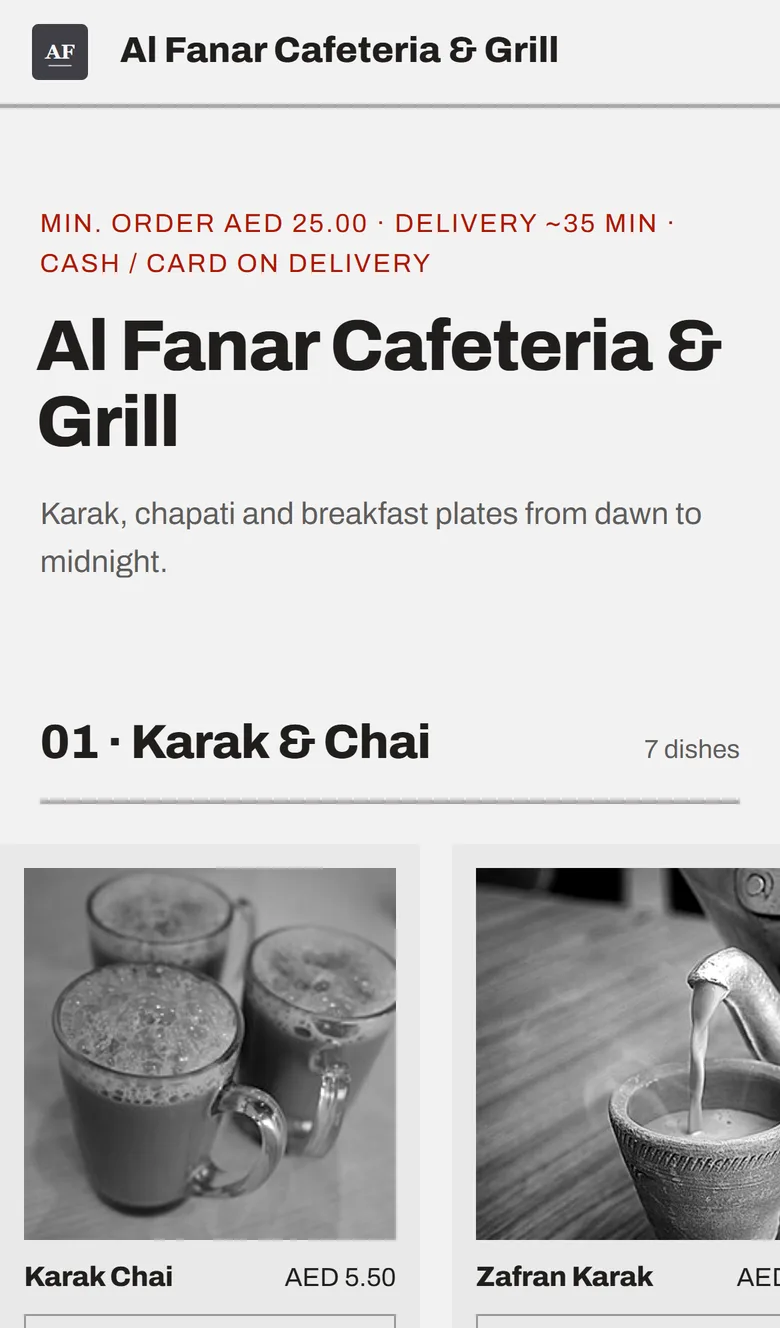
A table ordering system for restaurants puts one QR code on each table. The guest scans it, sees your menu with photos and prices, and picks dishes and their choices. Then they place the order without typing an address or waiting for a waiter.
Each table has its own QR code, and the code knows which table it is. So every order arrives already labelled with that table, and the managers' WhatsApp ticket shows the table first. The order goes to the kitchen screen, prints on the kitchen ticket at each station, or both. It is the same kitchen ticket that counter, web and WhatsApp orders use. Choices such as "no onions" are printed in bold on the kitchen ticket. The guest's note prints on the ticket too, and an allergy note prints in bold red above the dishes.
On the kitchen screen, each order shows how long it has waited. It is green when it arrives, amber when it is nearly late, and red when it is late. At the same time, the table gets an open bill (a tab) on the POS floor plan. The counter sees that table 7 has ordered, what it ordered and what it owes.
A second scan arrives as a second order on the same table, and the counter can merge it into the first tab. When the guests are done, the bill is paid at the POS, at the counter or on a waiter's phone at the table. Guests pay in cash or on your own card machine, and you choose which payment methods tables may use. Nothing is paid online, and nobody types the order twice.
QR code table menus push guests away when the code only shows a menu, and speed up service when the code places the order. Ipsos's consumer tracker found in July 2025 that 65% of Americans had used a QR code menu, and 58% would like to go back to paper menus. Ipsos did not ask what the code opened. In our view, a code that only shows a menu replaces the paper without replacing the wait. A code that places the order saves the guest that wait.
The independent evidence on ordering from the table is smaller than the vendors' claims. A study by Tan and Netessine covered about 2.6 million transactions at a casual-dining chain that put ordering tablets on its tables. Katalyst's review of it reports that the average bill rose about 1%, meals were 9.74% shorter, and sales for each minute a table was used rose 10.77%. In that study waiters still took the main order, and GetMenu guests pay at the POS rather than at the table. The lesson still holds: tables free up sooner, and the bill is only a little bigger.
Vendors claim much more, from bills up 10 to 20% to bills up 42%. But as Katalyst points out, none of them publishes a method, and all of them sell the product.
A restaurant table ordering system helps in plain ways. The first order is placed sooner. Guests order a second round without calling a waiter. The bill is ready when they want it. Waiters still greet and advise guests, and they carry fewer orders.
A table POS system keeps one open bill for each table. In GetMenu, a guest's QR order opens that bill (a tab) on the same floor plan the waiters use. So the counter sees every order for the table in one place. A waiter's phone can add a round to the tab, move it to another table or merge it with the next one. At the POS, the bill splits by item or evenly.
A restaurant table management system should keep one record per table, so the counter, the waiter and the kitchen all see the same order. That is the job of good restaurant table software. GetMenu is a POS with online ordering built in. Online and WhatsApp orders show on the same POS screen as the table tabs and counter sales. Every order, counter, web and WhatsApp, reaches the kitchen as one kitchen ticket at each station, printed, on the kitchen screen or both.
The menu you already have is the menu the table uses. Upload the whole menu from a spreadsheet instead of typing it, and add the options and add-ons with their own prices. Switch on stock counts for dishes that sell out. When a dish runs out, it shows as sold out on every table, on every POS and on your online menu, from one stock list.
Then add your tables in the dashboard and draw the floor plan by dragging them into place. GetMenu makes a QR code for each table. The QR card designer in your dashboard makes the cards look like your brand, and a print pack is emailed to you, ready for the printer. Our guide to QR codes on restaurant tables covers the cards in more detail.
Pair an iPad, an Android tablet or a phone as the kitchen screen from the GetMenu POS app, which is part of the POS add-on. Prefer paper? Kitchen printers work too, over USB (on the LAN), network, Bluetooth and built-in printers.
Two settings finish it. Choose which payment methods tables may use: cash, card machine or both. Then decide whether a minimum order applies to tables. It applies to delivery by default, and to dine-in only if you switch it on. If guests also want to book, the same plans add a table booking system. A Book a table button appears on your ordering page, and bookings land beside your tables in the same restaurant table management software (how bookings work).
Standalone QR ordering often costs a monthly fee, and some QR-only platforms take a share of every order, as Fleksa's price guide shows. GetMenu charges no commission on any order. Table QR ordering and the QR print pack are on the Growth and Pro plans, shown on the pricing page in your currency.
The kitchen screen and the POS floor plan come with the yearly POS add-on, which has no trial of its own. The plans' trial runs 15 days with no card.
There is no online payment at the table, by design. The restaurant keeps its own card machine and its own bank fees. There is no app for the guest to install, because the code opens a web page. And a QR card does not replace waiters. It saves the guest a walk to the counter.
Two more features sit beside table ordering. On the Pro plan, every guest earns a loyalty stamp with the WhatsApp number they order with, and regulars grow into tiers with their own discounts. The loyalty card keeps updating itself in Apple Wallet and Google Wallet.
For office lunches and big orders to one building, GetMenu also has group orders on the Growth and Pro plans. One person starts the order and shares a link, and each person adds dishes under their own name. The starter pays one bill on delivery. A group can hold 20 people by default, and you can set anywhere from 2 to 50. At a table, each guest simply scans and orders onto the same tab.
Tanzeel ur Rehman, co-founder of GetMenu, says: "Every table has its own code, so the kitchen never has to ask which table ordered."
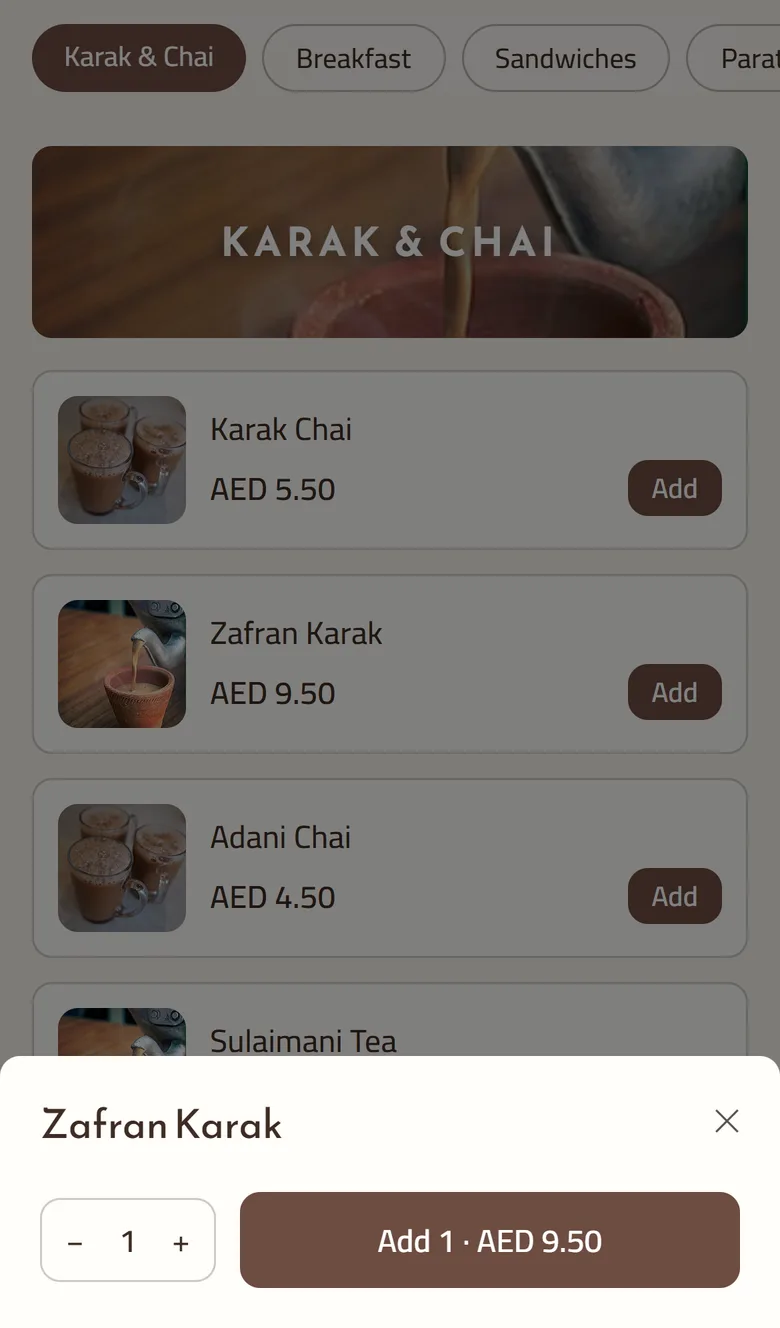
Each table gets its own QR code, and the code knows which table it is. A guest scans it, sees the menu on their phone, picks dishes and places the order with no address step. The order reaches the kitchen screen or the kitchen ticket, and opens as that table's bill on the POS floor plan. The bill is paid at the POS in cash or on the card machine.
Yes. The code stays on the table, and every scan orders for that table. A second round joins the same bill on the POS floor plan, and the kitchen gets it on its ticket like the first. Paper menus can stay on the table for guests who would rather ask a waiter.
Only a little, on the independent evidence. A study of about 2.6 million transactions with ordering tablets on the tables found the average bill rose about 1%, while meals got 9.74% shorter. The real gain is that tables free up sooner. Vendors claim far bigger rises, but none publishes a method, so plan for faster tables and treat a bigger bill as a bonus.
Yes, but their job changes. Waiters stop carrying orders to the counter and spend the time on the floor: greeting, recommending, checking on tables and taking payment. With GetMenu, a waiter's phone can add a round to a table's tab beside the guests' own scans. The table keeps one record whoever typed the order, and the kitchen gets both on the same ticket.
Standalone QR ordering often costs a monthly fee, and some QR-only platforms take a share of every order. With GetMenu, table ordering is part of the Growth and Pro plans, with no commission on orders. The kitchen screen and the POS floor plan are a yearly POS add-on, and the table cards come from the QR card designer and an emailed print pack. The plans are on the pricing page in your currency.
It is worth it when guests have to walk to the counter to order: a busy terrace, a cafe with two staff, a shisha lounge where guests order in rounds. A code that only shows a PDF menu is worth much less. GetMenu's table codes send the order to the kitchen and the table's bill. Table QR ordering is on the Growth and Pro plans, and the trial is 15 days.
Your own ordering page. Customers pick options like size or extras, and a dish that has run out cannot be ordered.
Bookings come in from a Book a table button on your own ordering page, reach the managers' group the moment they are made, and show on the free table's tile on every waiter's phone.
One login for the whole day: menu and stock in the morning, orders from four sources during service, the shift close at night, and the reports, invoices and orders export at the end of the month.